

AI in Enterprise SEO: How to Stay in Control When Everyone Ships Faster
 Jojo Furnival
Published November 25, 2026
When Patrick Hathaway talks to enterprise SEOs about Sitebulb these days, a lot of them tell him the same thing: their dev teams are now shipping dozens of changes a day. Meanwhile, Gerry White walks into client meetings already knowing what's going to come up, because AI has been through Jira, checked Sitebulb, Sistrix and Cloudflare, and prepared his notes.
Both sides of the same website have sped up at once. That's the side of AI in enterprise SEO this webinar kept coming back to.
For our last webinar of 2026, Patrick (Sitebulb's CEO and co-founder) sat down with two people who live with this every day. Gerry White is an independent technical SEO consultant and co-founder of Take It Offline, with twenty years in the industry including in-house roles at the BBC and Just Eat. These days he often works as a fractional head of SEO for enterprise brands.
Amanda King runs FLOQ, a consultancy working with global enterprise businesses, and has spent this year on conference stages showing people how to find LLM crawlers in their server logs. (She's also written for us on the hallmarks of good enterprise SEO management.)
This article looks at one part of the discussion in particular: how enterprise SEOs keep control when AI speeds up everything around them. That means checks that run before anything ships, a record of every fast fix (including your own), and monitoring for whatever gets through anyway.
Contents:
AI has sped up your devs and you, and expectations move faster than either
Start with the good news, because Gerry has plenty of it. The prep that used to take him two hours of jumping between tools now arrives as notes. He has MCPs connected for Sitebulb, Sistrix and half a dozen other tools, so by the time he looks at a Jira ticket, the AI has often already checked whether the issue has actually been fixed. He can pull analysis out of Cloudflare that "normally would have taken me hours", including things he admits he wouldn't have known how to do himself.
(If you want to see what that kind of setup looks like in practice, Dragan Berak wrote up how his team runs audits using Claude, MCPs and Sitebulb.)
Amanda called the other side of this "the shadow side". Stakeholders hear that you've got an AI brain now and assume the flywheel will just spin: more sprints, more output, more done. In enterprise teams, Amanda said, that often isn't how it plays out. QC probably takes longer, you ship more, and more stuff breaks.
Then there's what the extra analysis turns up. AI gives you a more granular lens on the site than most teams have had, and it exposes problems nobody has noticed in fifteen years: JavaScript libraries that haven't been updated in a decade, or a business still running on a twenty-year-old Excel spreadsheet.

“So it's like you're pulling up a lot of skeletons in the closet that people aren't ready to deal with.”
A growing chunk of the job becomes managing those conversations. Patrick added that priorities can also appear overnight for reasons that have little to do with the site in front of you: a couple of security stories in the news and suddenly security is the biggest panic for everybody, regardless of how big a risk it really is for that business.
So the speed is real, on both sides. The rest of this article is about stopping it turning into a mess.
Preventing SEO regressions when devs ship dozens of changes a day
Patrick asked the panel, “has part of the enterprise SEO's job turned into finding what the devs have broken, because they don't always tell you what they've changed?”
Amanda's first answer was "hasn't that always been our job?" Fair, but the volume is different now. When the devs are using AI to move faster, she argued, you need to use AI to match them.
Gerry has started pushing a lot of the testing back to the people making the changes. For one client, he built a Claude skill that their content team runs themselves before they publish. It checks, among other things:
that internal links don't have parameters on them
whether links are internal or external
page speed
image size
The content team runs them before anything goes live, so nobody waits for an SEO to have time to look.
Amanda took the idea a step further: make "here's the skill, run it" part of the ticket's definition of done. Not everyone has a QC team, so this becomes a kind of soft QC before the QC team, and it lets you be much more granular about what "done" means. No internal links should be broken, for example, or whatever else matters on that site. That turns the check into a condition of the work being finished, not a favour devs do for the SEO team.
If you already crawl staging before releases, this slots in neatly alongside it. Katie Cunningham's guide to supporting your deployment workstream with a crawling strategy covers that side of it.
Gerry pointed out the limit though. Developers are often very good at testing their own work, but they're also very good at finding new ways to break things.

“And the other challenge with developers is they find very new and interesting ways to break things, which a set of simple tests never kind of quite manages.”
He's seen canonical tags "just kinda go crazy" because a developer did something they believed was the correct way, based on something they'd read. No pre-release skill is going to anticipate every one of those. So checks before release cut down how much breaks, but you still have to look at the site after it ships.
If your devs treat an SEO check as an imposition, the definition-of-done framing is definitely the way to go; it stops being your check and becomes part of the work.
Fast fixes still need a Jira ticket
The devs aren't the only ones moving faster. Gerry could, as he put it, plug Claude into Cloudflare, say "just do the redirects for me", and it would go and do it. His clients don't want that though. They want what they call a proper workflow, with things documented and done the right way.
He's come round to their view, for two significant reasons:
1. Undocumented fixes
Gerry used to do a lot of temporary fixes in Google Tag Manager (schema, for instance), always with the promise that they'd be implemented properly later. Do that enough and you've built multiple points of failure into the site.
“If something falls over, the first thing they do is they kinda go, what did Gerry do?”
So the fast fixes now go through a process. For redirects, that's a Google Sheet, connected to Jira, connected to Cloudflare, so he isn't just fixing a 404 because he's spotted traffic landing on it. Changes are tested on a dev site and go through QA. Even something as small as switching on HTTP/3 gets a Jira ticket assigned to him: what he changed, when, whether it had any impact, and the dashboard showing the result.
An LLM writes many of those tickets now, because, in Gerry's words, it's "much better at writing Jira tickets than I am". (If yours still bounce back from the devs, Gus Pelogia's guide to writing the perfect SEO ticket for your devs is worth a look.)
2. A documented work trail
At the end of the month a client will ask what you did, and "loads of stuff" isn't an answer. The record is how he shows his work.
Not only that but sometimes we do things and they backfire. The week before the webinar, Gerry made a load of GTM changes for a client to delay firing their marketing tags, and it slowed the site down. He still doesn't know exactly why. He went back, fixed a load more, and the site sped up a huge amount. The record allows you to see what actually happened when something goes wrong.
Amanda's addition is about pace. You need to know your client's risk tolerance, and most enterprises are conservative. Yes, you could push 20 changes live in a day and not tell anyone, but it isn't a good look.
Catching what gets through after release
Doing checks before release reduces what breaks and a paper trail tells you what you changed. But you still need eyes on the live site. There are three layers to this:
1. Crawling on a schedule
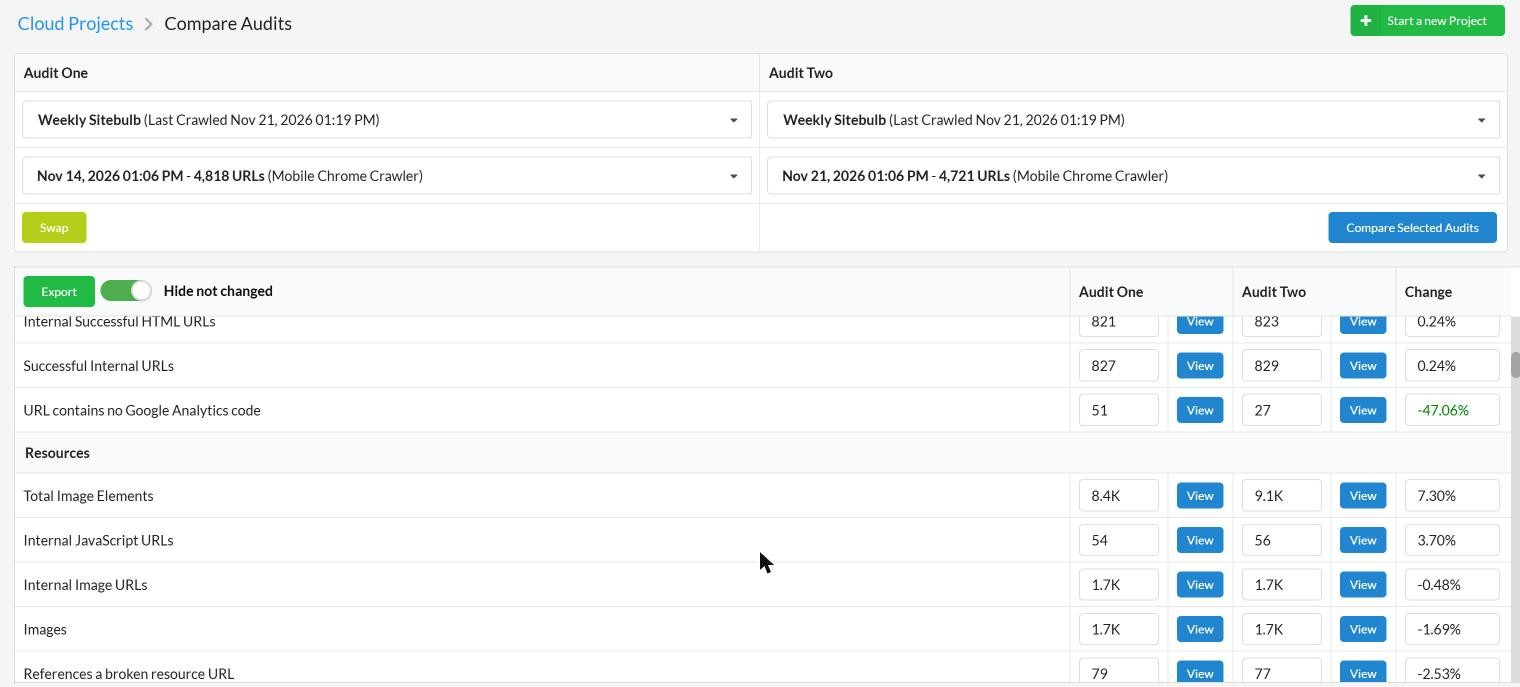
Gerry crawls most of his clients with Sitebulb once a week, and that gives him a view of everything he should be doing for them. A couple are monthly instead, because some clients don't want the cost of crawling their entire site every week. Weekly crawls won't keep pace with dozens of releases a day on their own, but they're useful for catching site-wide and template-level problems.
2. Monitoring releases
The second layer is monitoring tied to releases. Amanda's example was when monitoring tells you site speed has dropped by two seconds and it’s sitting next to Jira tickets that say ten changes were released five minutes ago. If you put the two side by side, you can react in real time instead of finding out at the next monthly report.
“But it is something where you’re needing to leverage the AI to match the AI that your developers are using to move more quickly.”
3. Analysing server logs
The third layer is server logs, and the GEO hype has made them easier to get. Historically, Gerry said, logs were infosec's job and SEOs were told not to touch them. Now that leadership sees GEO as the priority, Gerry asks for logs and gets them.
Logs show you things like a sudden increase in 404s after a release, and, as Patrick pointed out, they're a source of truth you can trust, unlike a lot of prompt-tracker data. You can see whether a training bot or a retrieval bot has been on your site, though it needs a little care. Anyone can put GPTBot in a user-agent string, so check requests against the IP ranges the AI companies publish. And not every AI use of your content has its own bot: Google-Extended is a robots.txt token, not a crawler, so pages Google uses for Gemini are fetched by ordinary Googlebot.
The caveats are that Amanda has actually had the opposite experience: clients who only hold logs for twenty-four hours, or don't have persistent log caching at all. So ask for retention, not just access. And Gerry admits logs aren't as easy to make sense of as they sound, especially if you can't connect them to Claude to help with the dashboarding.
TL;DR key takeaways
💡 Expect AI-assisted analysis to find more than your team can fix, and agree priorities with stakeholders before the findings land.
💡 Put SEO checks into the ticket's definition of done so devs and content teams run them before anything goes live.
💡 Keep crawling the live site, and tie monitoring alerts to release times: devs break things in ways pre-release tests don't anticipate.
💡 Log every change you make yourself, from redirects to CDN settings to GTM, in a ticket with a date and a result.
💡 Ask for server logs while GEO is a priority, and ask for retention longer than 24 hours.
Want the whole conversation, including where Gerry and Amanda drew very different lines on connecting AI to client data? Watch the full webinar. You can also read Gerry's recap of the convo here.

Sitebulb is a proud partner of Women in Tech SEO! This author is part of the WTS community. Discover all our Women in Tech SEO articles.

Jojo is Marketing Manager at Sitebulb. She has 15 years' experience in content and SEO, with 10 of those agency-side. Jojo works closely with the SEO community, collaborating on webinars, articles, and training content that helps to upskill SEOs.
When Jojo isn’t wrestling with content, you can find her trudging through fields with her King Charles Cavalier.


Related Articles
 Webinar: AI in Enterprise SEO - Risks, Efficiencies & Agents

 Mapping a Site's Topical Focus with Sitebulb & Embeddings

 Enterprise SEO Audit: From Crawl to Prioritised Action Plan

 Sitebulb Desktop
Find, fix and communicate technical issues with easy visuals, in-depth insights, & prioritized recommendations across 300+ SEO issues.
- Ideal for SEO professionals, consultants & marketing agencies.
 Sitebulb Cloud
Get all the capability of Sitebulb Desktop, accessible via your web browser. Crawl at scale without project, crawl credit, or machine limits.
- Perfect for collaboration, remote teams & extreme scale.