




JavaScript SEO in the Age of AI: Will Kennard Answers Your Questions
 Jojo Furnival
Published March 24, 2026
"Google renders JS fine these days."
If you work in technical SEO, you've no doubt heard this. Probably from a developer. Possibly right before a content visibility problem that took three months to diagnose.
The thing is, it's not entirely wrong. But it's also not the whole story, and the part that's missing has become increasingly important since LLMs joined the party.
I ran another Reddit AMA last week, this time with Will Kennard, an SEO and web consultant who specialises in JavaScript SEO and modern web frameworks. In the past couple of years, Will has become a card-carrying JavaScript SEO nerd, which means he has a lot of opinions about what actually goes wrong and why.
The questions ranged from Google's two-pass rendering and what AI crawlers can actually see, to the JS issue he's encountering most often right now. Here's the full write-up.
Contents:
Does Google still struggle to index JavaScript content?
At Sitebulb, we’ve covered this topic A LOT. We have a whole hub of resources and a free training course on it.
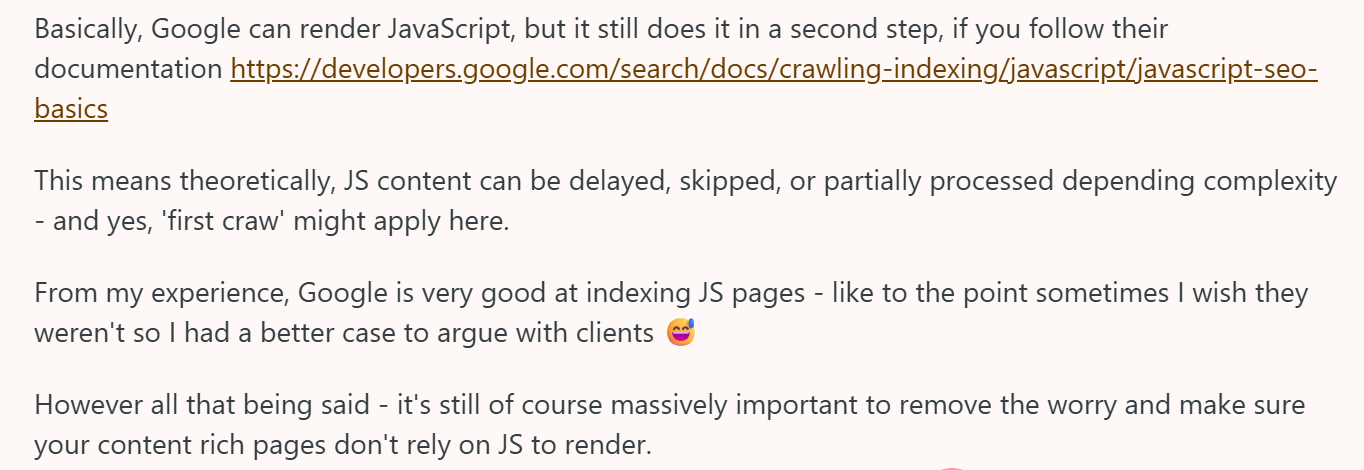
Yes, Google can render JavaScript—but it does so in a second pass. Crawl first, render later, that’s how it works.
Google's own documentation confirms that JS content goes through a deferred rendering queue rather than being processed at the point of crawl, which means it can theoretically be delayed, partially processed, or skipped depending on complexity.
In practice though, Will's experience is that Google has gotten pretty good at this:
Which is a very relatable consultant problem. The argument for server-side rendering important content isn't really "Google will fail to index your JS pages." It's that the risk exists, there's no good reason to endure it, and - as the next section covers - Google being good at rendering JS is increasingly beside the point.
What AI crawlers can (and can't) see
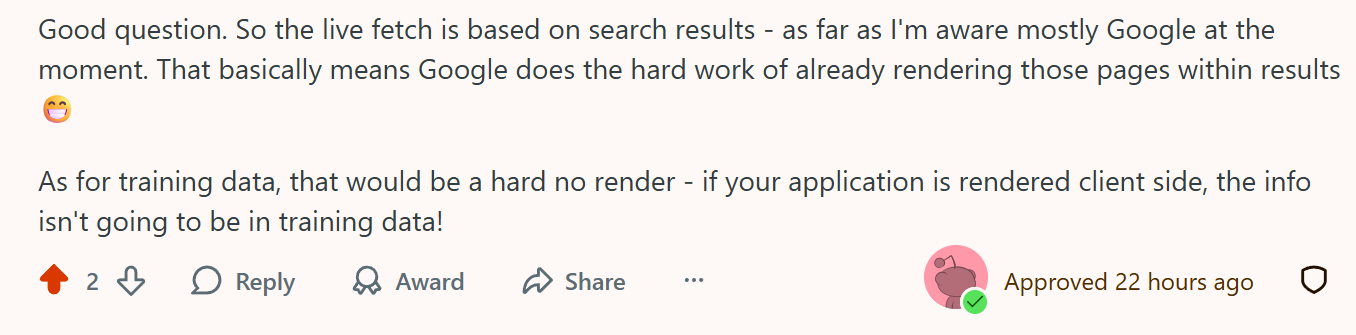
I’ve banged this drum a lot lately too: Most AI crawlers don't render JavaScript. And unlike Google's two-pass rendering, there's no catch-up queue.
When asked about what we actually know about standalone LLMs' rendering capabilities beyond Gemini and Copilot, Will opined that the evidence base is thin:
OpenAI hasn't confirmed whether GPTBot renders JS. But Will reckons they probably don't bother. Rendering JavaScript requires significantly more compute power, and for a fundamentally text-based model, it's a lot of effort to train on something that can be accessed other ways. Will's point is that with markdown conversion pipelines increasingly handling content extraction, they may not need to render JS at all.
This creates two different situations depending on how an AI tool is accessing content.
AI tools that use live search, like Gemini and Copilot, can piggyback off Google's already-rendered results, so Google effectively does the work. Training data, however, is a different story. As Will put it:
That exclamation mark is on-point. If your site has critical content rendered client-side, it may never have made it into AI training data in the first place.
Client-side vs server-side: What belongs where?
A question came in asking when to use dynamic rendering instead of server-side rendering.
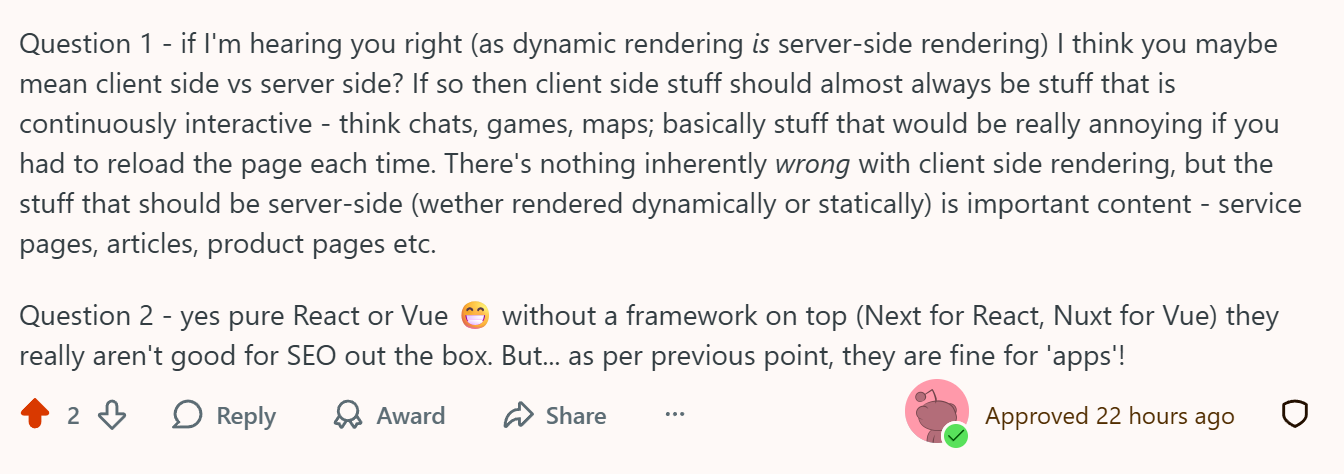
Will decided to reframe the question: dynamic rendering is server-side rendering, so the more useful distinction is client-side vs server-side.
His rule of thumb: client-side rendering is for things that are continuously interactive, like c hats, maps, and games. In other words, interfaces where reloading the page would be genuinely annoying; there's nothing inherently wrong with CSR for those use cases.
Service pages, articles, product pages, important FAQ content, basically anything that needs to be immediately discoverable should be server-side rendered, either dynamically or statically.
On frameworks, Will said that pure React or Vue without a meta-framework on top (Next.js for React, Nuxt for Vue) aren't good for SEO out of the box. Fine for apps. Not fine for content-driven pages where you need things to be indexed.
The good news is that modern frameworks make it possible to have both in the same application.
An vibe coding visibility problem
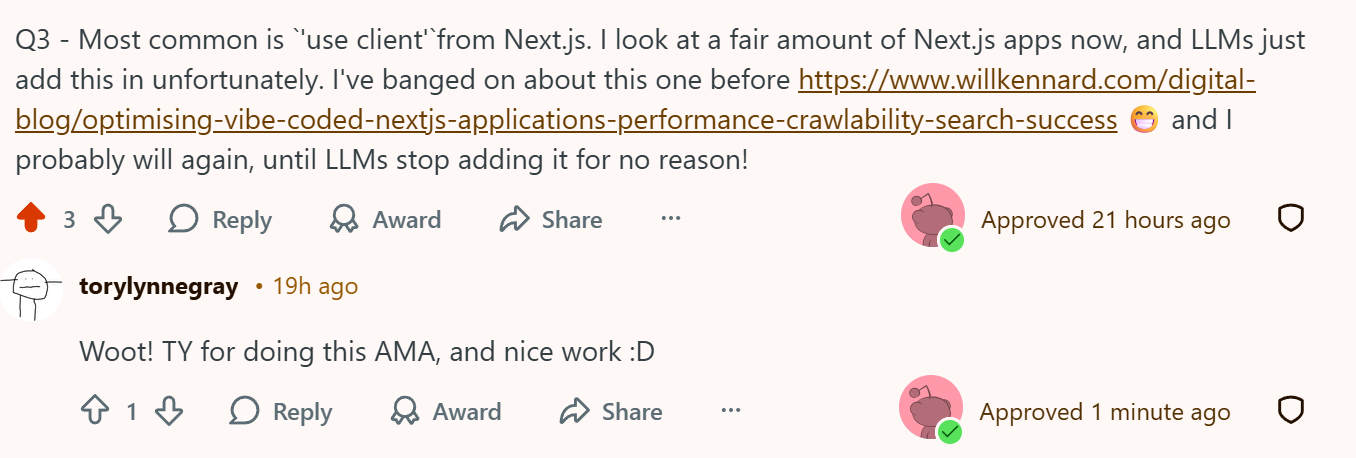
Will was asked about the most common JS SEO bug he encounters. His answer was NOT what I expected: the indiscriminate use of 'use client' directives in Next.js applications, largely dropped in by AI coding tools that don't understand what they're doing.
'use client' is a Next.js directive that tells the framework to render a component on the client side. It’s legitimate and necessary for certain interactive components. The problem is that LLM-powered coding tools tend to add it liberally, because it resolves certain errors without the model needing to understand why the error is happening.
In a nutshell, it's being used as a get-out-of-jail-free card for a whole class of build errors. But there are consequences further down the line.
The result is Next.js codebases where large chunks of the application are rendering client-side not because anyone decided that, but because an AI coding assistant took the path of least resistance and nobody caught it.
Whaaaaat? AI taking the easy way out and nobody noticing?! Surely not!!
Apologies for the sarcasm, but are we really surprised?
Will has written about this on his blog and will apparently keep writing about it until LLMs stop doing it. Based on the current trajectory, that may be a while.
The SEO implication is exactly what you'd expect: content that should be server-rendered ends up invisible to non-rendering crawlers, including the AI training pipelines we just discussed. The problems used to come from developers who understood rendering and made deliberate trade-offs. Now they're increasingly coming from AI-generated code where no human made that decision at all.
SSR for Googlebot only is a fix that's making things worse
A question came in about clients who use server-side rendering selectively, i.e. SSR for Googlebot and other search crawlers, but not for regular users. Specifically, they wanted to know the most reliable way to test it's working.
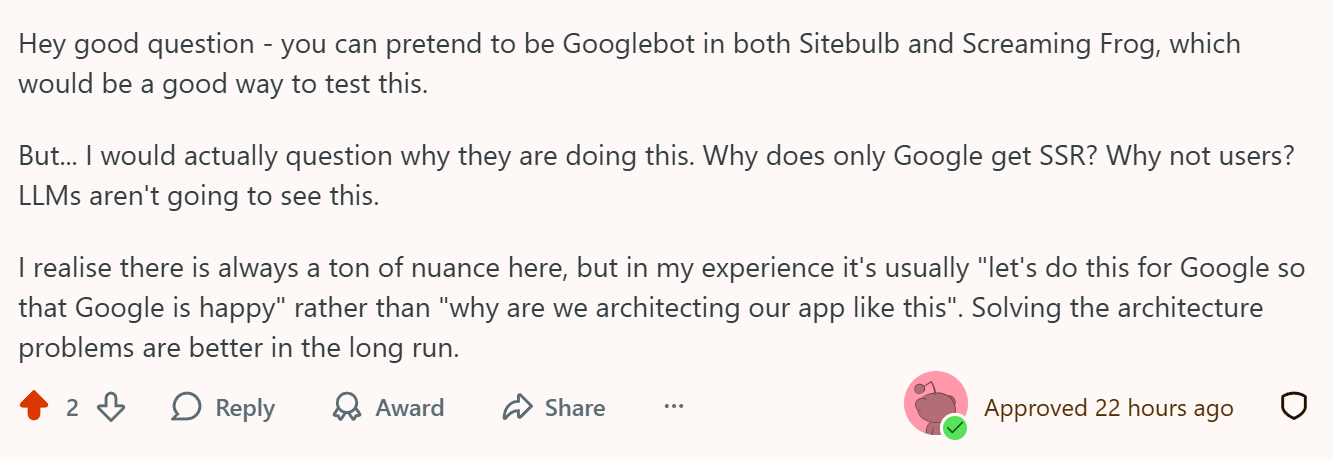
Will confirmed you can spoof the Googlebot user agent in both Sitebulb and Screaming Frog to check what those crawlers are seeing. That's the practical answer.
But then he went for the jugular:
If the infrastructure can serve SSR to Googlebot, why isn't it serving SSR to users? Or LLMs? They'll just get the client-rendered version, i.e. nothing useful.
Fix your server response before you touch your rendering
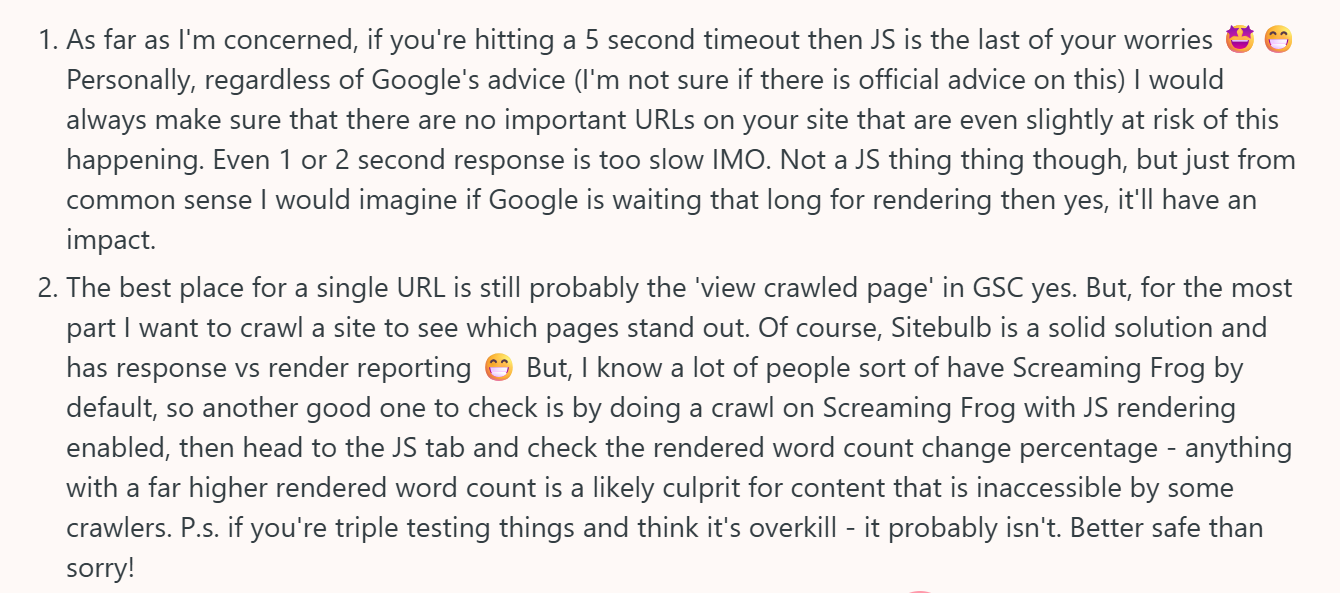
A question came in about Googlebot page timeouts: whether the rumoured 5-second threshold was real and what it meant in practice. Will's answer cuts through:
If you're hitting a 5-second timeout, JavaScript rendering is not your most urgent problem. Even a 1-2 second server response is already too slow. Google waiting that long to render is going to have consequences regardless of how cleanly structured your JS is. Sort the server response first.
JS rendering problems on top of slow response times are a layer cake of issues, and you want to be working top-down, not bottom-up.
For checking what Google actually rendered for a specific page, Will's go-to is still GSC's 'view crawled page'. For site-wide patterns, you need a crawler like Sitebulb.
Will's JS auditing workflow
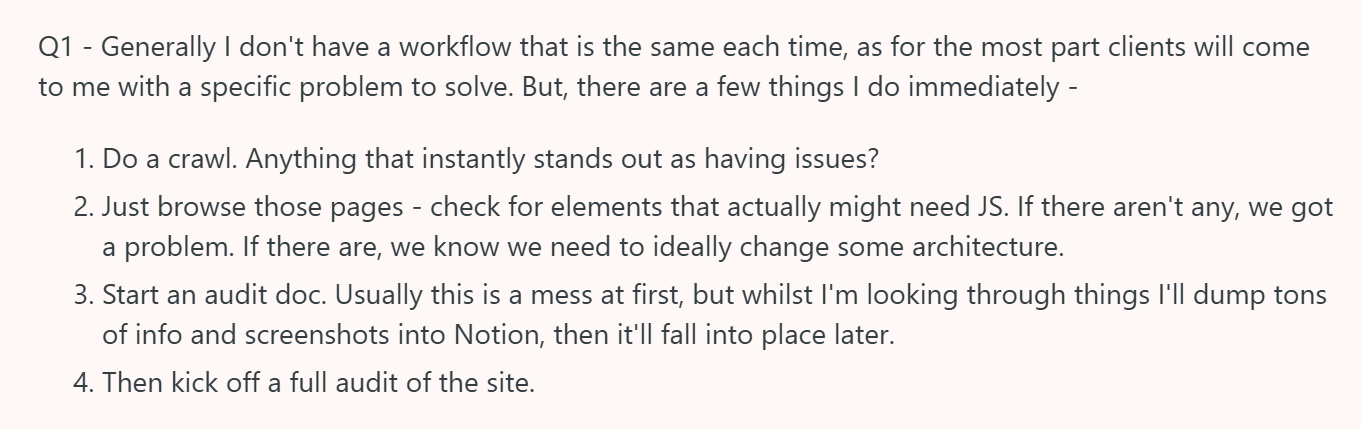
Will was upfront that his JS auditing workflow varies by client and problem, but there are consistent first steps:
Step 1: Crawl the site
Look for anything that stands out immediately. In Sitebulb, the Response vs Render Report surfaces pages where there's a significant difference between what the server sends and what the browser renders.
In Screaming Frog with JS rendering enabled, you can head to the JS tab and check the rendered word count change percentage. Anything with a significantly higher rendered word count is likely serving content that some crawlers can't see. You can also see that in Sitebulb.
Step 2: Browse the pages
Actually visit the pages that look suspicious. Will checks whether the JS on them is genuinely necessary; if a page has no interactive elements, there's no good reason for its content to be client-rendered. If it does have interactive elements, at least you understand what you're dealing with.
Step 3: Start an audit doc
Will uses Notion, and his approach is deliberately chaotic at the start. Dump everything in – screenshots, notes, observations – and let structure emerge later. Trying to write a clean audit doc from the beginning usually means losing information.
Step 4: Full audit
Once you have a picture of what's happening, kick off the comprehensive audit.
As with so much of SEO, a JS audit is often partly an education exercise: Will noted that one of the most common problems he encounters is dev teams who simply don't know what rendering options their framework offers. You can't have a useful conversation about why something is client-rendered if the people who built it weren't aware an alternative existed.
Testing JS issues before deployment
The best time to catch rendering problems is before they go live.
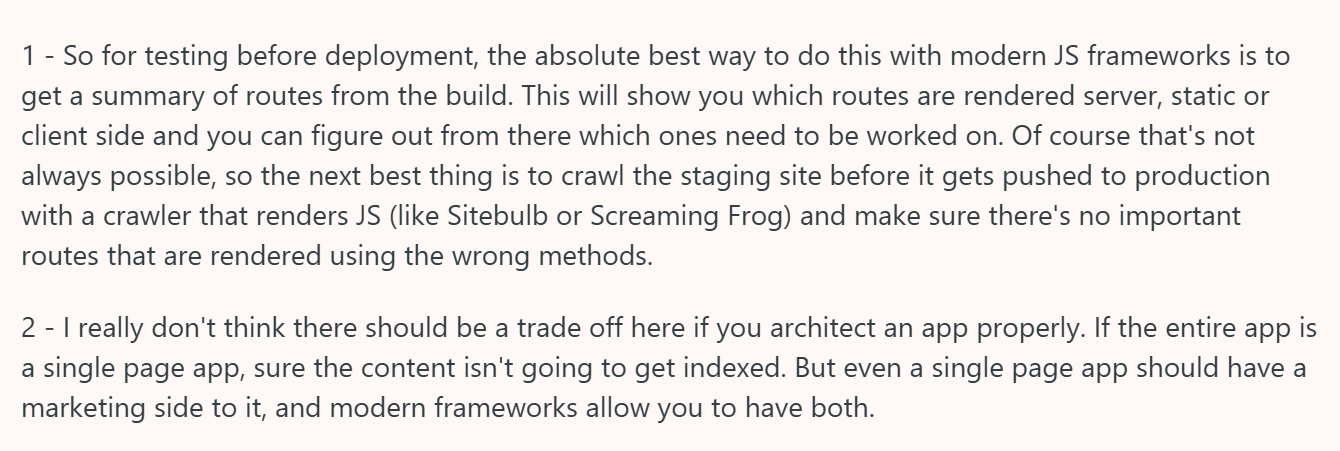
Will's recommended approach for modern JS frameworks is to get a route summary from the build output. This shows you directly which routes are server-rendered, statically generated, or client-rendered. You can work out from there what needs fixing before deployment.
His article on Next.js caching architecture is worth reading for the underlying principles, even if you're not working in Next specifically.
When a build summary isn't available, the fallback is to crawl staging with a JS-rendering crawler before anything gets pushed to production. Sitebulb and Screaming Frog both handle this. The goal is to catch routes using the wrong rendering method before they become a live problem.
On the UX vs SEO question, Will's position is that there shouldn't be one if the app is architected properly. Client-side and server-side rendering aren't in competition. They're different tools for different jobs. If a project frames it as a trade-off, that's usually a sign the architecture hasn't cleanly separated the two concerns.
Massive thanks to Will Kennard for doing this AMA, and to everyone who shared their questions! You can read it in full here.
TL;DR key takeaways
💡 Server response time comes before rendering in the triage order. A 1-2 second response is already too slow; JS rendering problems on top of that are compounding issues.
💡 Google's two-pass rendering means JS content can be delayed or skipped. The risk is real even if Google is generally good at it. Important content shouldn't rely on JS to render.
💡 Most AI crawlers don't render JavaScript. Live AI search tools that use Google (like Gemini and Copilot) benefit from Google's rendering. For training data, client-side content is simply absent.
💡 Client-side rendering is for continuously interactive elements (chats, maps, games). Service pages, articles, and product content belong server-side. Modern frameworks support both in the same application.
💡 The most common JS SEO issue right now is 'use client' being added indiscriminately to Next.js apps by AI coding tools, which client-renders large chunks of content with no deliberate decision behind it.
💡 SSR for Googlebot only is a tactical patch on a structural problem. LLMs won't benefit from it, and users are still getting a worse experience than the search engine.
💡 Pre-deployment: get a build route summary if you can; crawl staging with a JS-rendering crawler if you can't. Catch rendering issues before they go live.

Jojo is Marketing Manager at Sitebulb. She has 15 years' experience in content and SEO, with 10 of those agency-side. Jojo works closely with the SEO community, collaborating on webinars, articles, and training content that helps to upskill SEOs.
When Jojo isn’t wrestling with content, you can find her trudging through fields with her King Charles Cavalier.


Related Articles
 Your Products Are Entities Now. And AI Can Only Work With The Data You Give It.

 Your AI Assistant Is Biased: Why & How To Write Prompts Mindfully


 The Agentic Web: Future of Ecommerce in the AI Era
 Sitebulb Desktop
Find, fix and communicate technical issues with easy visuals, in-depth insights, & prioritized recommendations across 300+ SEO issues.
- Ideal for SEO professionals, consultants & marketing agencies.
 Sitebulb Cloud
Get all the capability of Sitebulb Desktop, accessible via your web browser. Crawl at scale without project, crawl credit, or machine limits.
- Perfect for collaboration, remote teams & extreme scale.