

Initial Time to Interactivity (ITTI): The Metric that Core Web Vitals Misses
 Selim Koç
Published October 29, 2026
This week, we’re grateful to Selim Koc, who proposes a new element-level metric — Initial Time to Interactivity (ITTI) — for the gap between when an above-the-fold control looks ready and when it actually works, and he pressure-tests it with reproducible first-visit tests on brightonSEO, Google and Amazon.
Here’s a problem everyone has experienced:
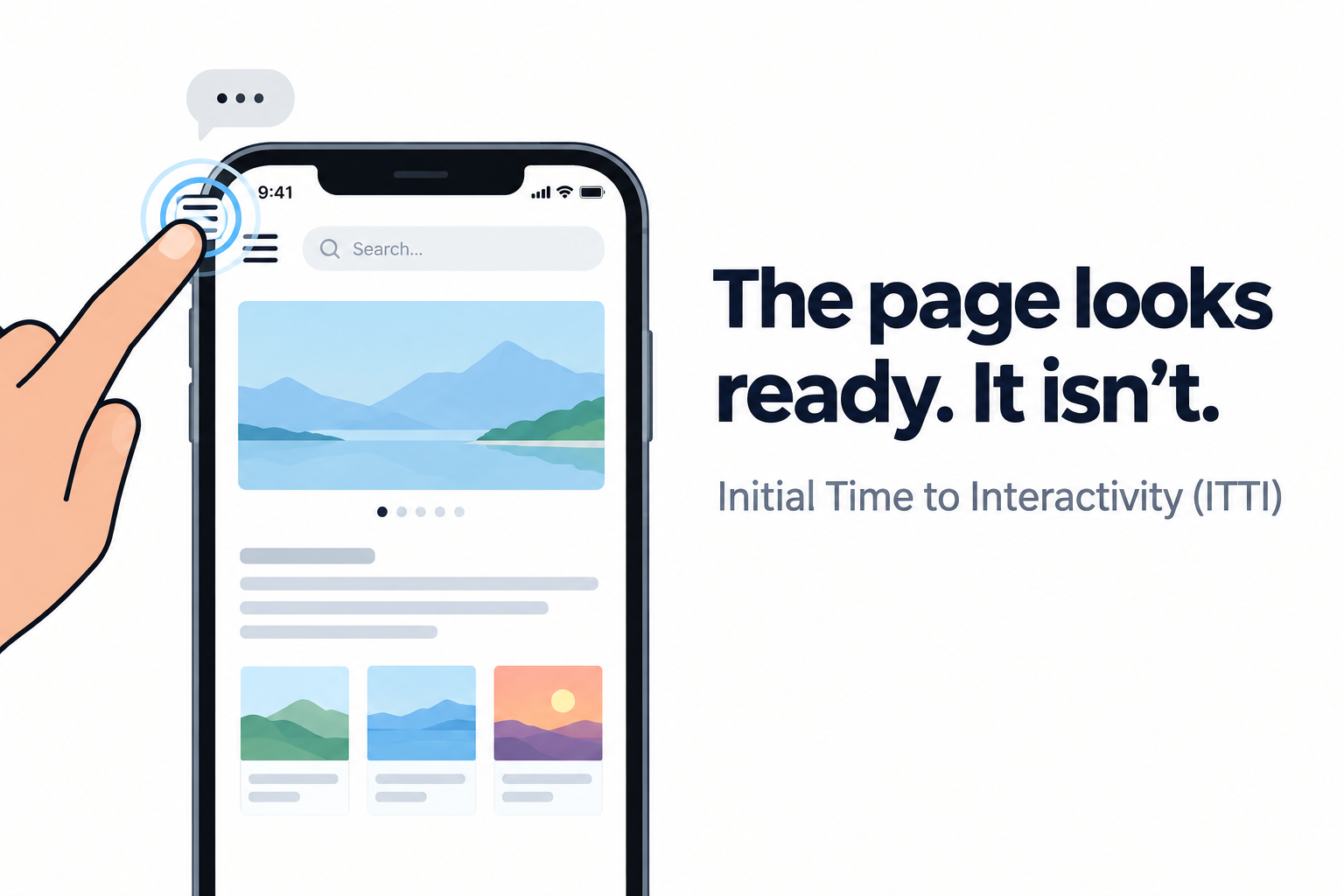
You open a website on your phone. The page appears. But you tap a search icon or a slider, nothing happens. You tap again and again. After some time it works or you have already left the site. The page looked ready, but it is not necessarily a ready page.
This is Initial Time to Interactivity (ITTI).
Contents:
- Defining ITTI
- Is ITTI new?
- Measuring ITTI
- Case Study 1: A website unintentionally built to explain ITTI, BrightonSEO
- Time for UX Fight Club Rules
- Is ITTI just a mobile menu interactivity metric?
- Case Study 2: Google.com, turning d ead clicks into delayed clicks
- Case Study 3: Amazon, immediate ITTI slider
- What Time Range for ITTI Means Success?
- A simple loop for closing the gap
Defining ITTI
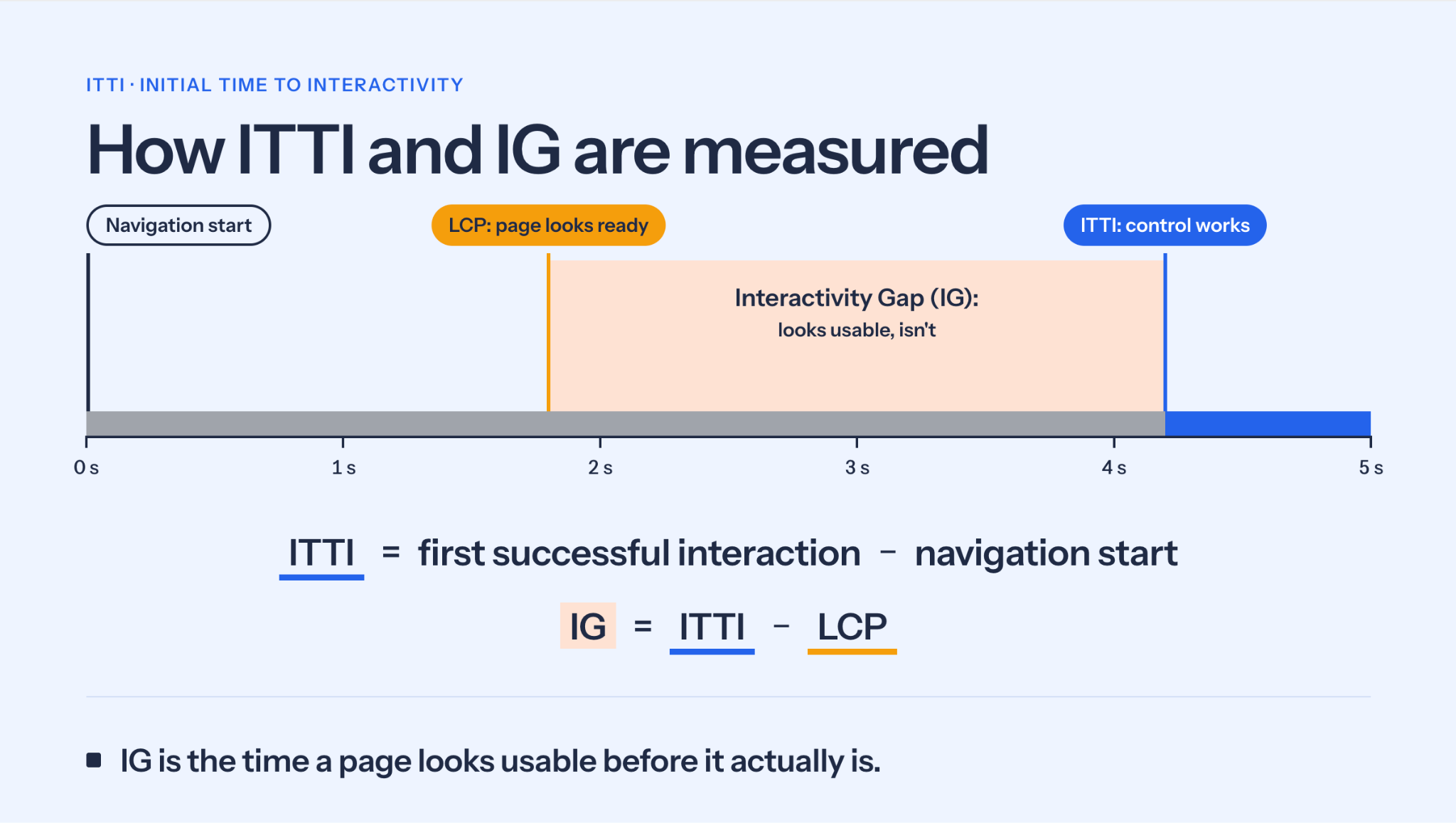
Initial Time to Interactivity (ITTI) is my proposed metric, not an established web standard: the elapsed time from navigation starts until a specific, initially visible interactive control can successfully perform its intended action for the first time. The Interactivity Gap (IG) is the difference between that control’s ITTI and the page’s Largest Contentful Paint (LCP). ITTI measures element readiness; IG measures how far that readiness occurs after or before LCP.
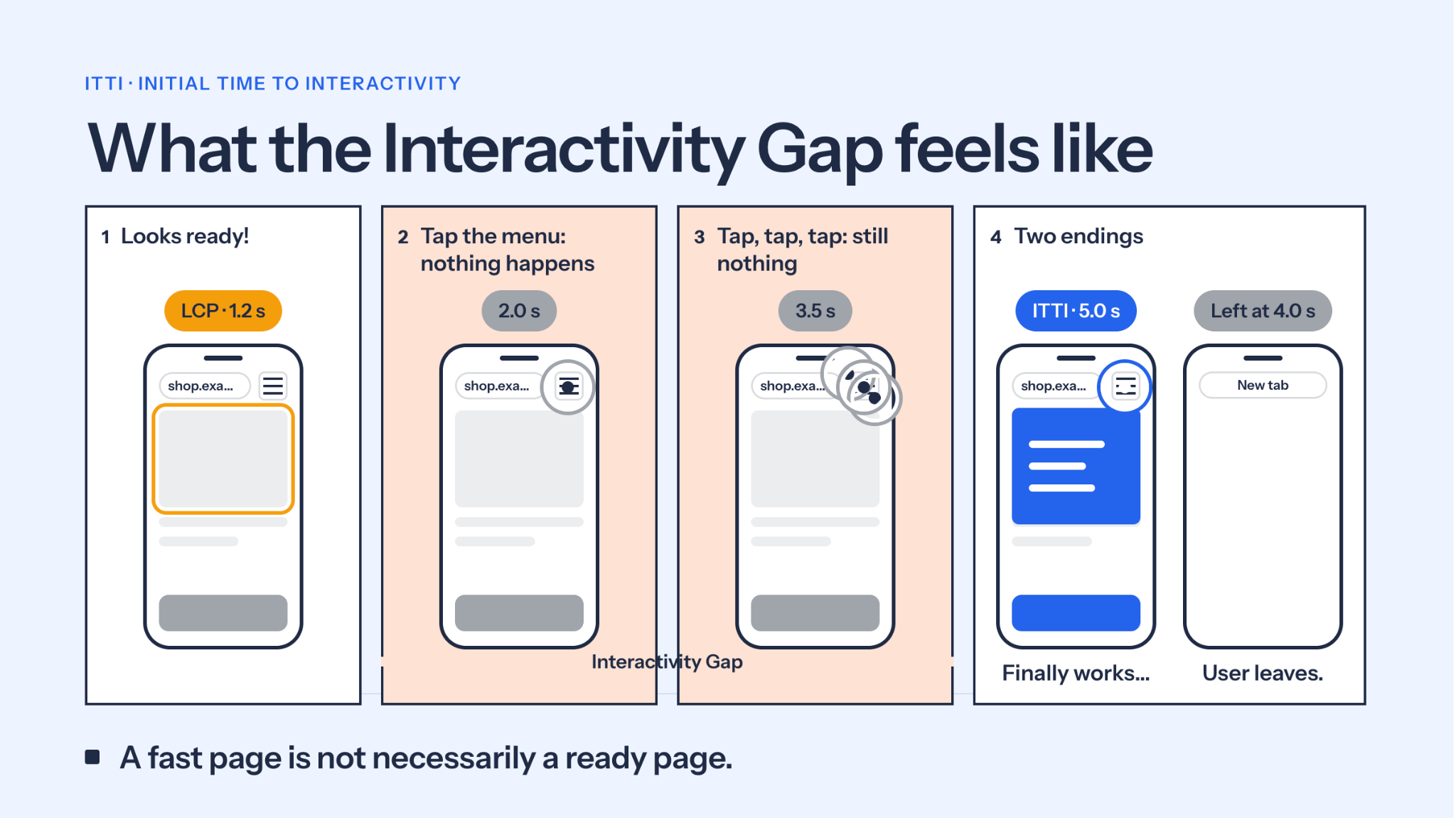
ITTI is for interactive elements above the fold area, like the hamburger menu icon, hero slider, etc.
Why the gap matters most: users don’t try to interact with a blank screen. They start tapping once the page looks ready and stable, around LCP. That’s why the Interactivity Gap (IG = ITTI − LCP) reflects frustration: it’s the window where the page looks usable but not ready for interaction. Note that ITTI can occur before or after LCP for an individual element, so IG is not necessarily positive in every case.
How does ITTI differ from TTI?
Time to interactive (TTI) is related to whole page interactivity in Lighthouse metric, that is when a page has become interactive. TTI is removed from Lighthouse in version 10. ITTI differs from TTI in scope; ITTI is an element based metric not the whole page, and it looks like LCP. LCP focuses on above the fold part of the page, while ITTI focuses on interactive elements in above the fold section.
ITTI vs. INP
Interaction to Next Paint (INP) measures how quickly the browser responds to the interactions that actually happen on a page. ITTI measures how long users will wait before a visible control can respond successfully in the first attempt. These are different dimensions of user experience: a page can report a good INP while a particular control is still unavailable during initial loading.
That is why I propose ITTI as a complementary measurement, not as a replacement for any Core Web Vital.
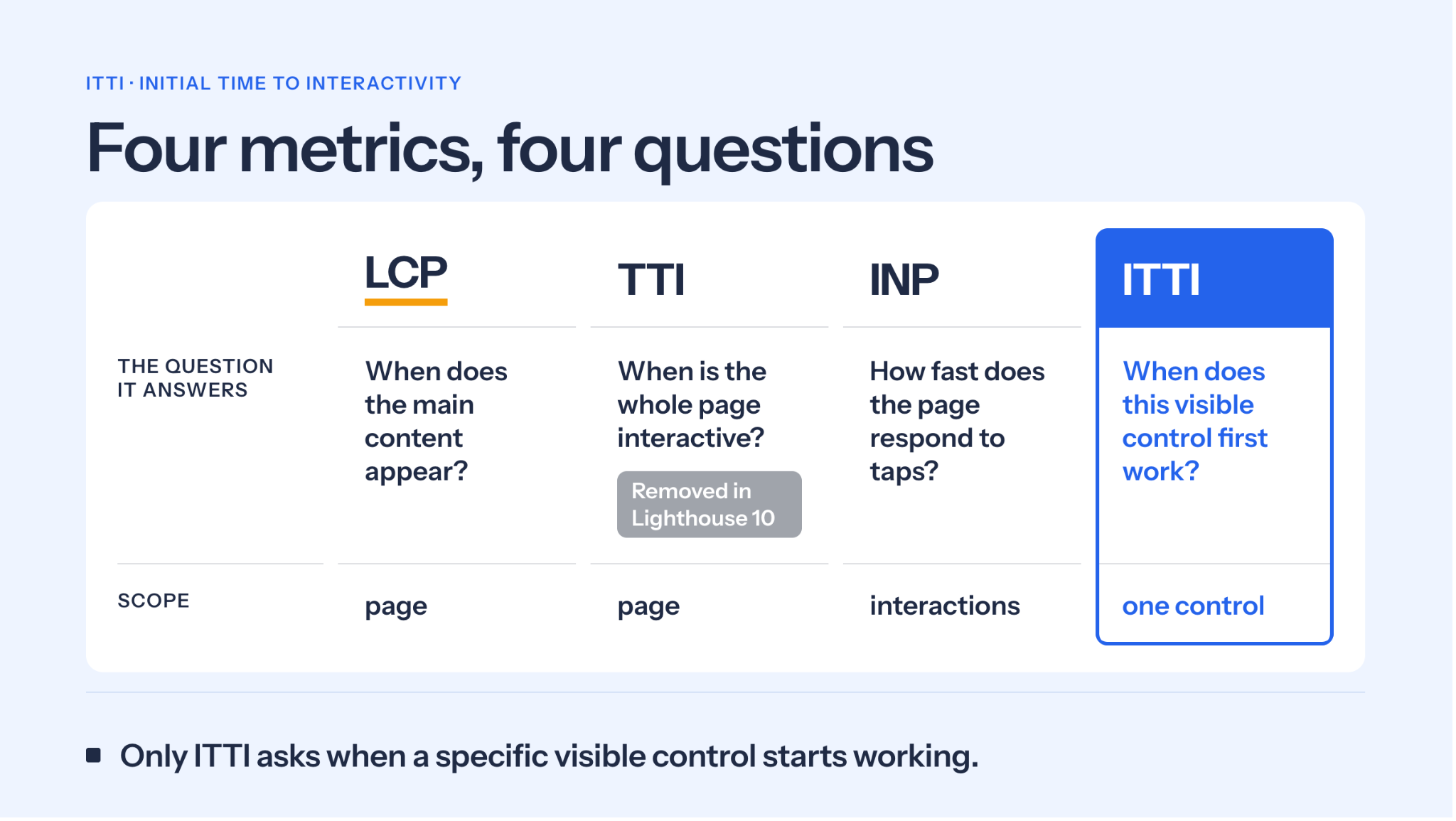
To be precise: INP measures the latency of qualifying interactions during a visit. A click that does nothing because no javascript handler is attached yet does not show that INP is failing at its job. It shows that a latency metric alone cannot tell you whether the intended action actually happened.
Is ITTI new?
Not entirely. Ideas such as TTI, First Input Delay, hydration and event-handler attachment all touch on interaction readiness. What ITTI adds is a specific, reproducible measurement: navigation start to the first successful intended action of one visible control. I present it as a proposed metric and invite performance engineers to test, challenge and improve it.
The Scope
ITTI is particularly important for first-time visitors, who are more likely to experience the full cost of downloading and initialising the JavaScript needed for interactive controls. Returning visitors may benefit from browser caching, although cached resources still need some time for execution on browsers.
I think we can narrow down ITTI candidates on a page. Not all interactive elements need high priority for first-time visitors. I would give higher priority to a hero slider which is more likely to be used initially than a menu button.
Measuring ITTI
The measurement is done by tapping or sliding the element’s control, and waiting to see whether it is acting as it should. Record the first time it acts as expected e.g. for a mobile menu, ITTI is the time the menu starts opening.
Measurement Tools
ITTI can be measured via a chronometer and a web browser. This is a quick testing method and may add 0.2-0.3s of error to the measurement.
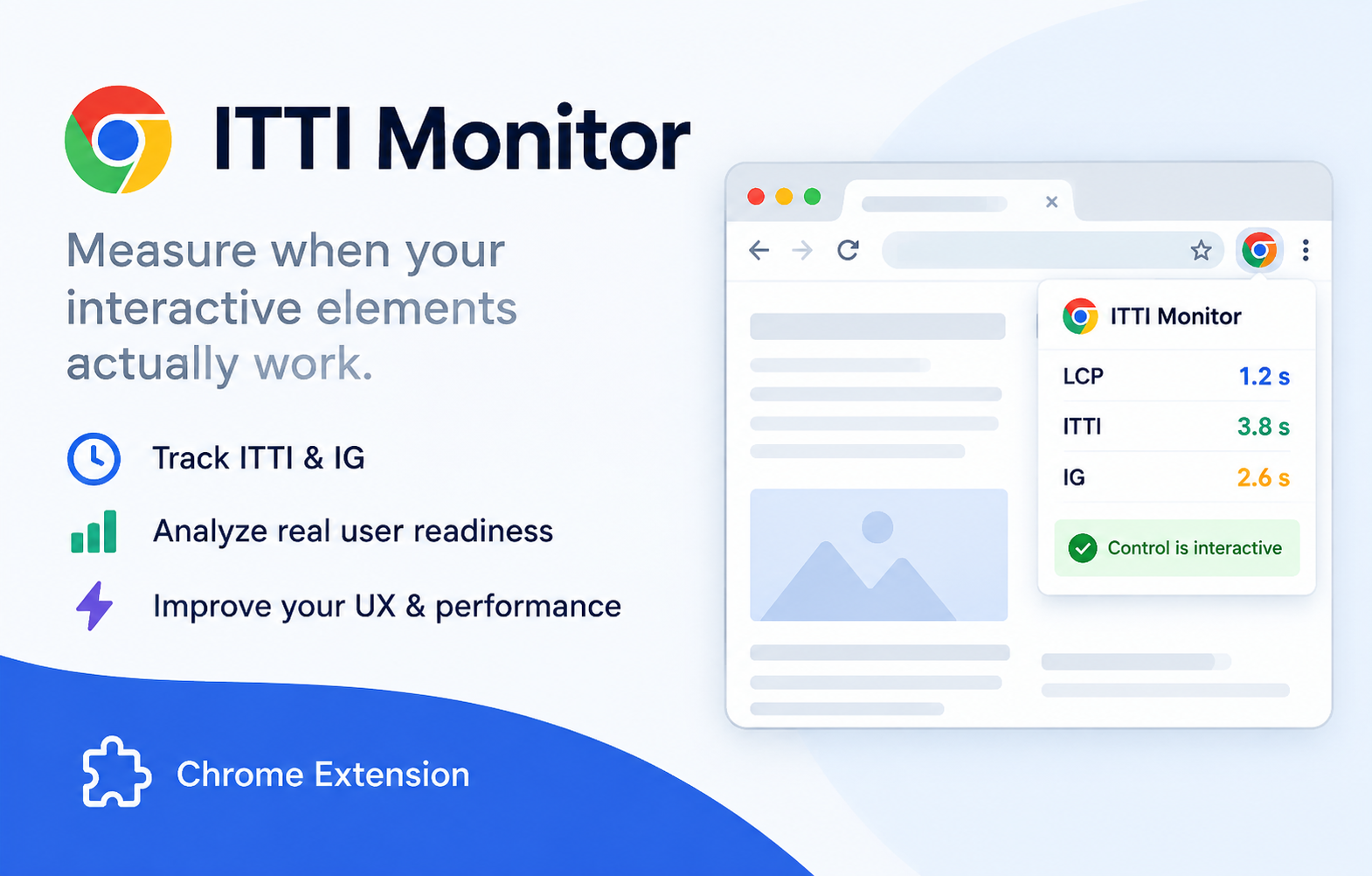
There is also a free browser extension you can use on your Chrome browser with higher precision. I used the extension for the tests below.
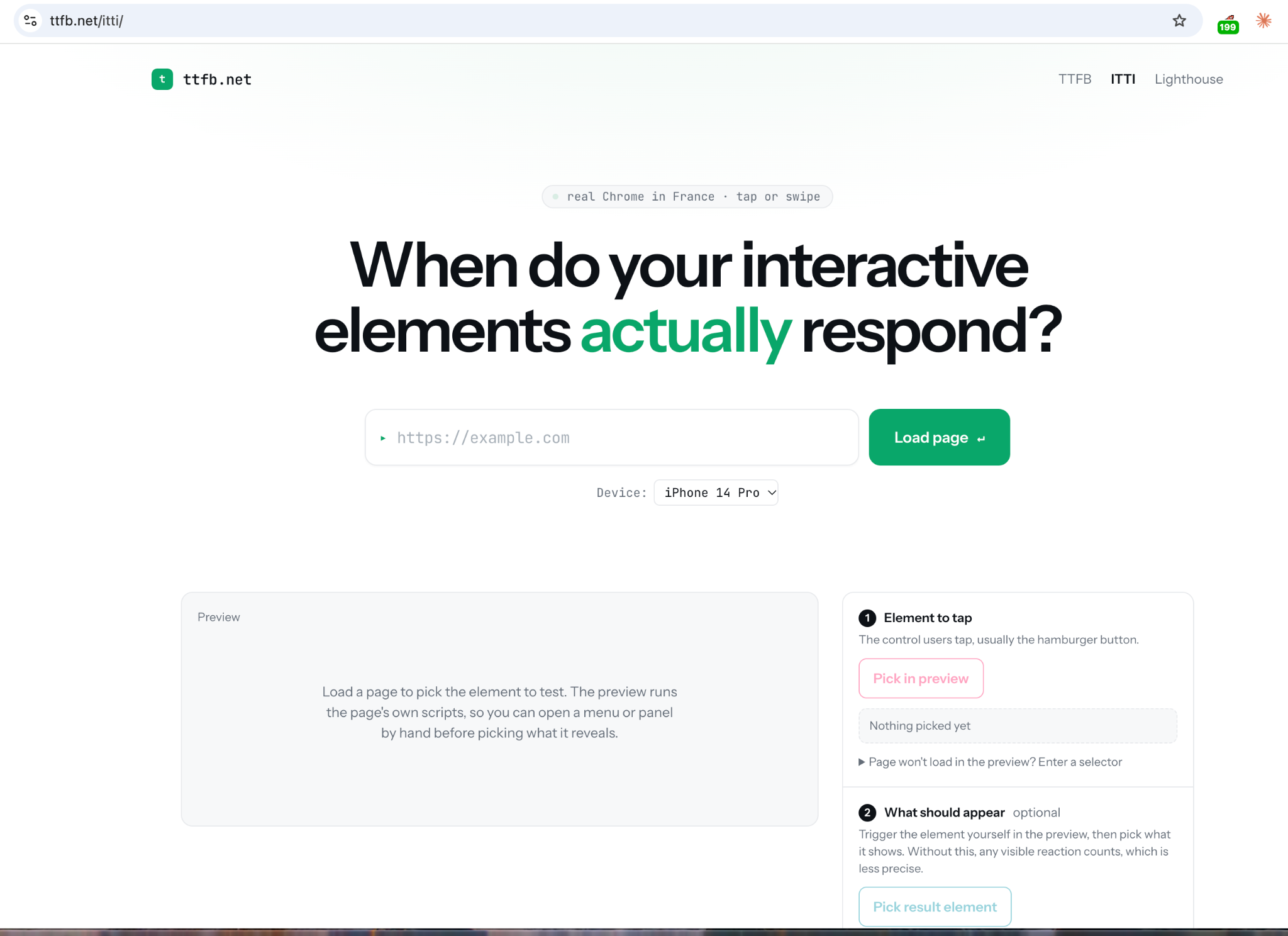
There is also an online testing website at ttfb.net/itti/ which uses the above chrome extension.
Test Methodology
Browser: Chrome 154 (arm64), iPhone 16 Pro Max emulation, Every test starts with example.com and in an incognito window, so every run is a first visit.
Network: Chrome DevTools Slow 4G preset.
Runs: 5 page loads per site; the reported value is the median.
How the extension tests: it taps the control every 25ms until it responds. The 853 attempts in the BrightonSEO screenshot are taps within one page load, not 853 separate tests.
Known risks:
Repeated tests warm up the CDN near the test location (UK). The CDN then serves files faster from its local cache, so later runs may look faster than a real first visit. Users in other locations, or reaching a CDN server that hasn’t cached the files yet, may see slower results.
Repeated taps may interact with click queuing or click replay.
For both reasons, treat these numbers as preliminary.
Case Study 1: A website unintentionally built to explain ITTI, BrightonSEO
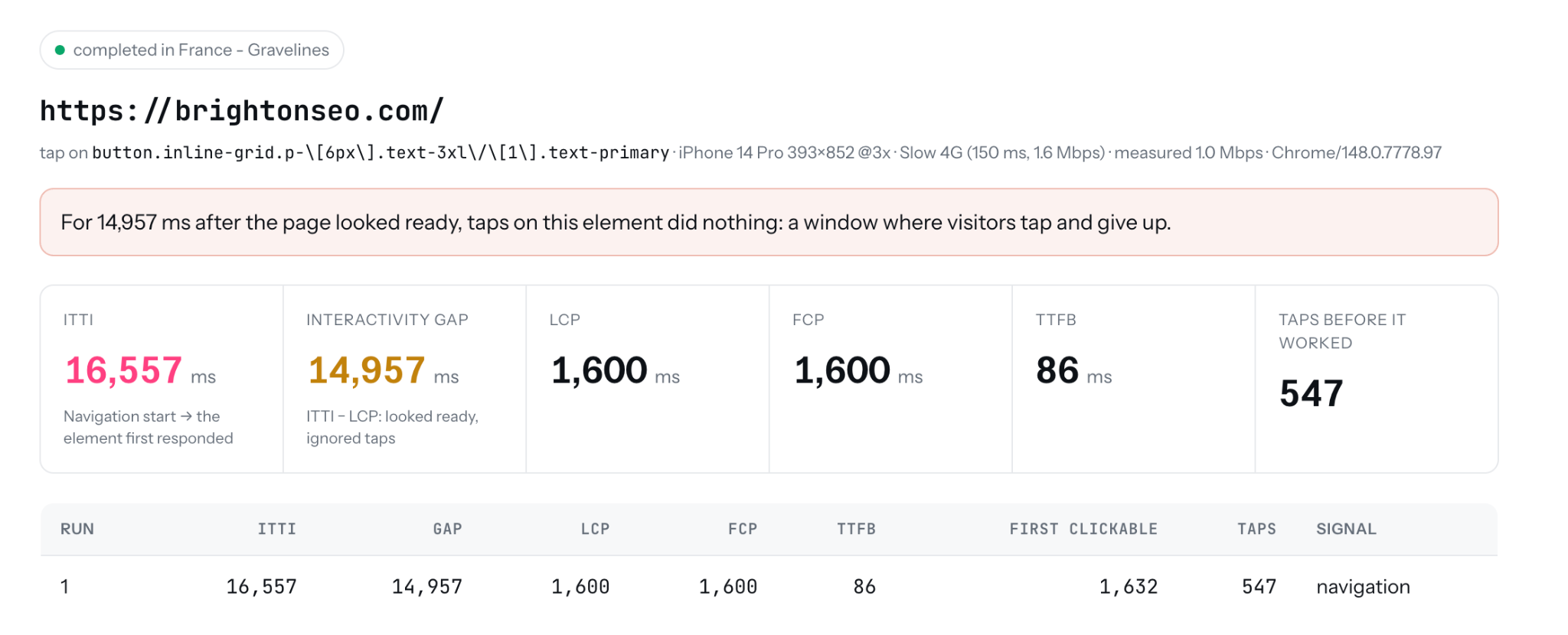
The mobile version of brightonseo.com has a gray mobile menu icon that turns blue when it is ready to function. ITTI is the time it switches from gray to blue.
To be clear, this is not a criticism of brightonSEO. The gray-to-blue pattern is more honest than keeping it blue all the time, as most sites do. That honesty is exactly what makes the problem visible, which is why it makes the perfect demo.
Steps
Take your phone, turn off your wifi, and if possible switch to 3G or 4G.
Open brightonseo.com in incognito/private mode.
The mobile menu icon is gray, tap it, tap again and again and after some time it will work and the menu will be open.
On Slow 4G: LCP is 2.2s, ITTI is 24.3s and IG is 22.1s. And the site scores 96 on Lighthouse Performance.
Core Web Vitals has an i nteractivity related metric, INP; isn’t it covering ITTI?
To see why INP can miss this problem, I repeated the test in desktop Chrome using Slow 4G throttling. While the menu remained unavailable, Chrome recorded an interaction latency of 48ms. The menu never opens while INP values are fine. The metric is green. The menu is dead.
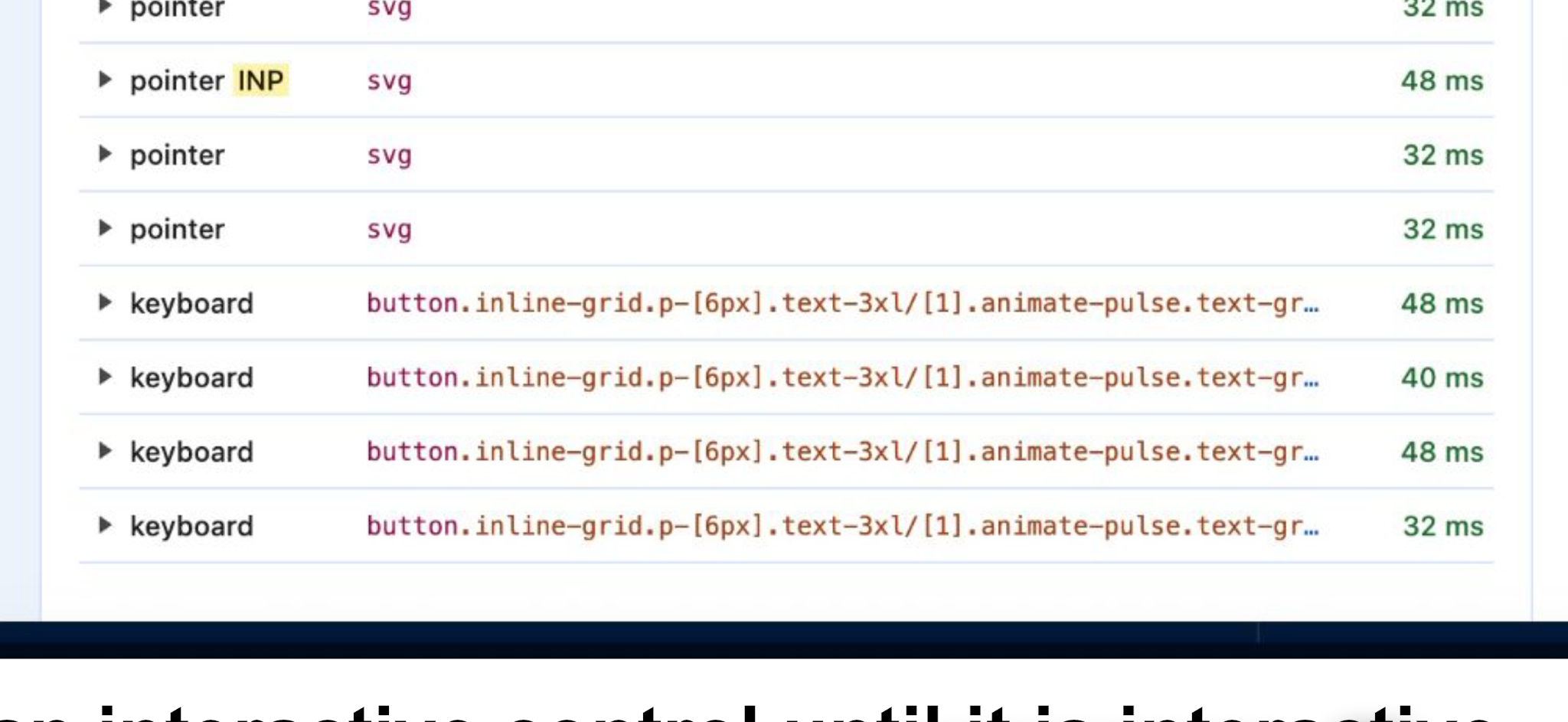
I clicked the menu icon multiple times, one of them was recorded as 48ms as seen on the screenshot. This is most likely because no click handler was attached yet, so the browser had nothing to process and the click “finished” almost instantly on DevTools → Interactions.
In other words, INP correctly measured a fast response to a click that did nothing; it was never designed to tell whether the control was ready.
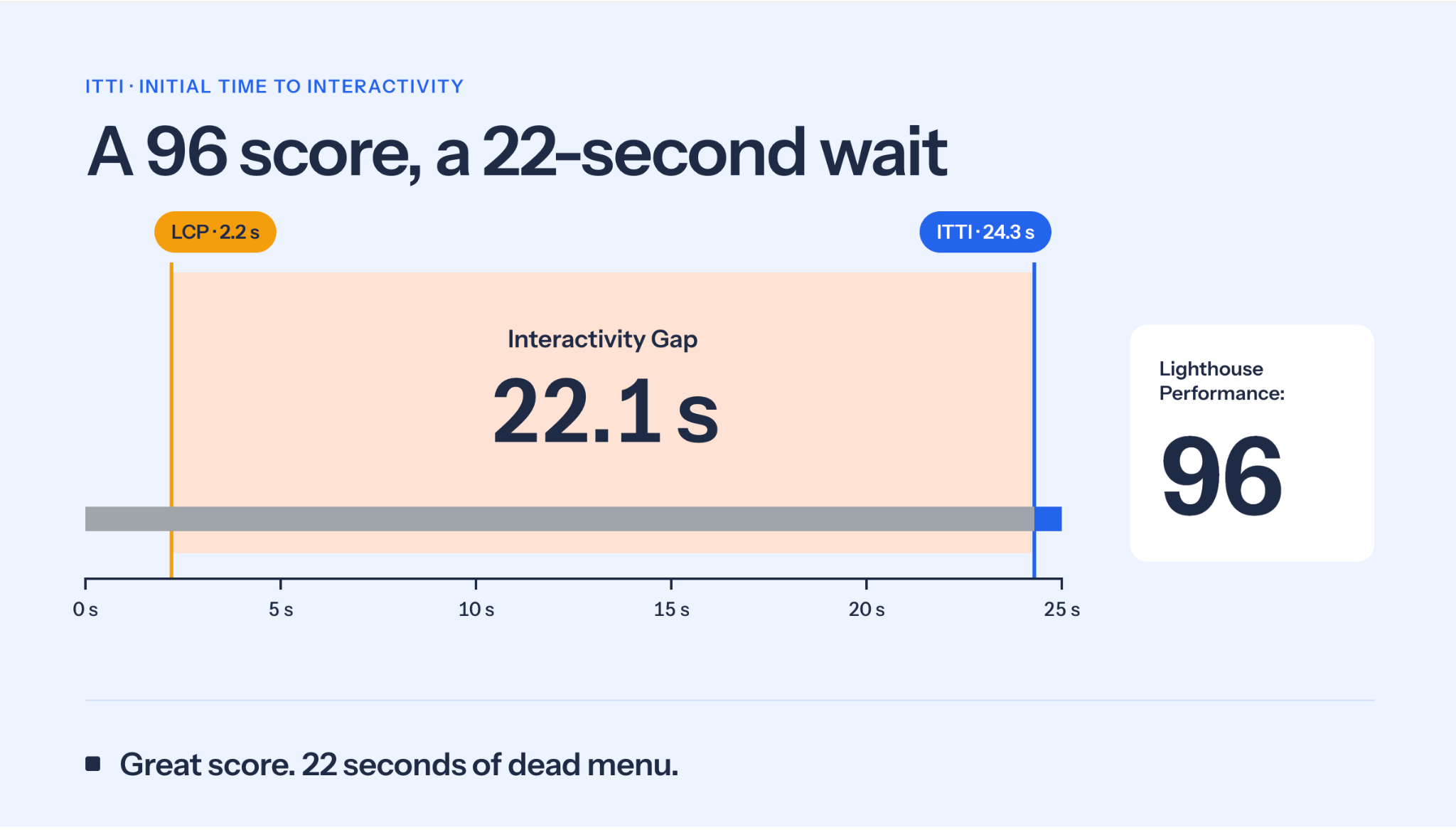
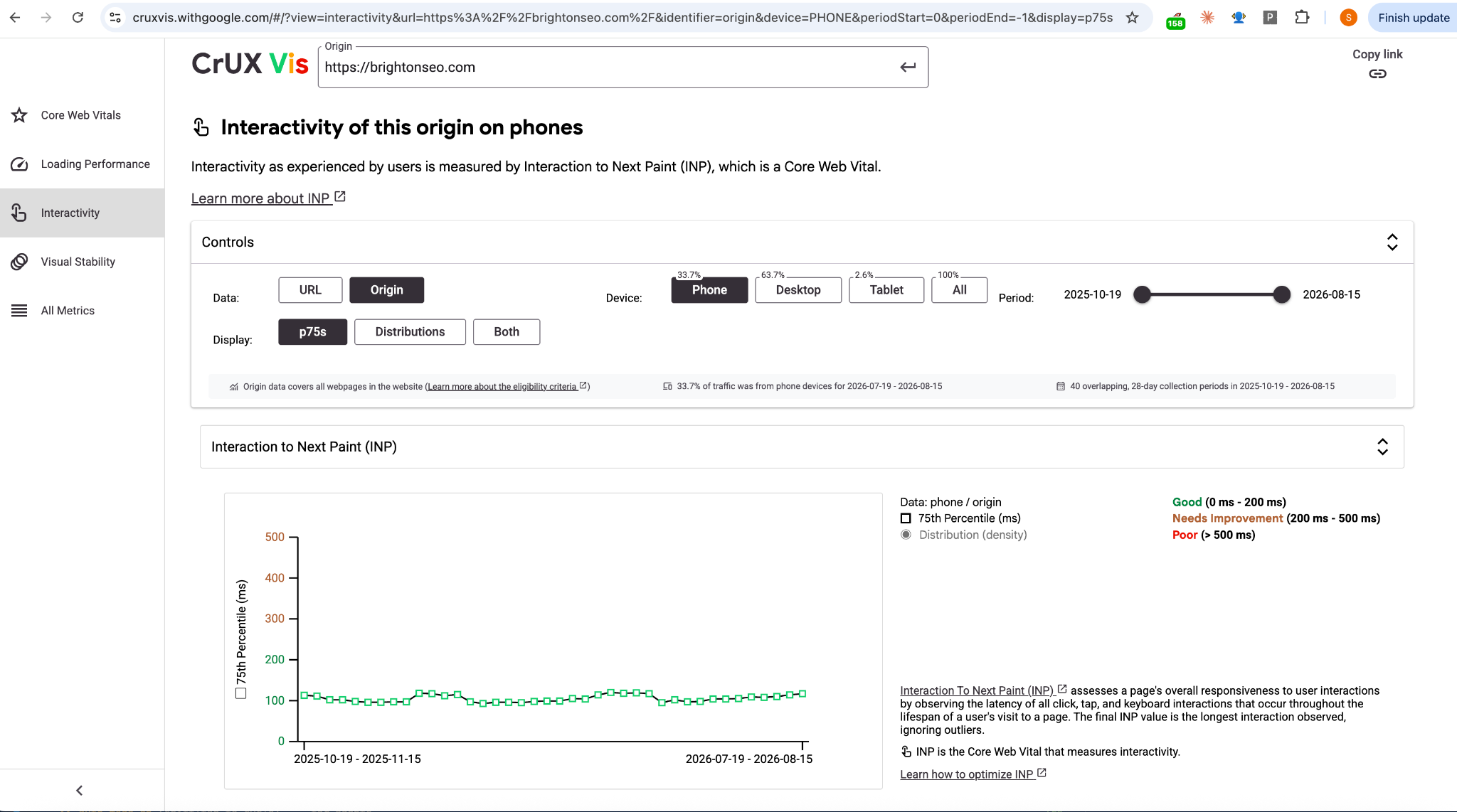
CrUX below also reports interactivity of around 100ms INP for brightonseo.com, but field data and my lab test measure different visitors, devices and network conditions, so the two numbers are not directly comparable.
Time for UX Fight Club Rules
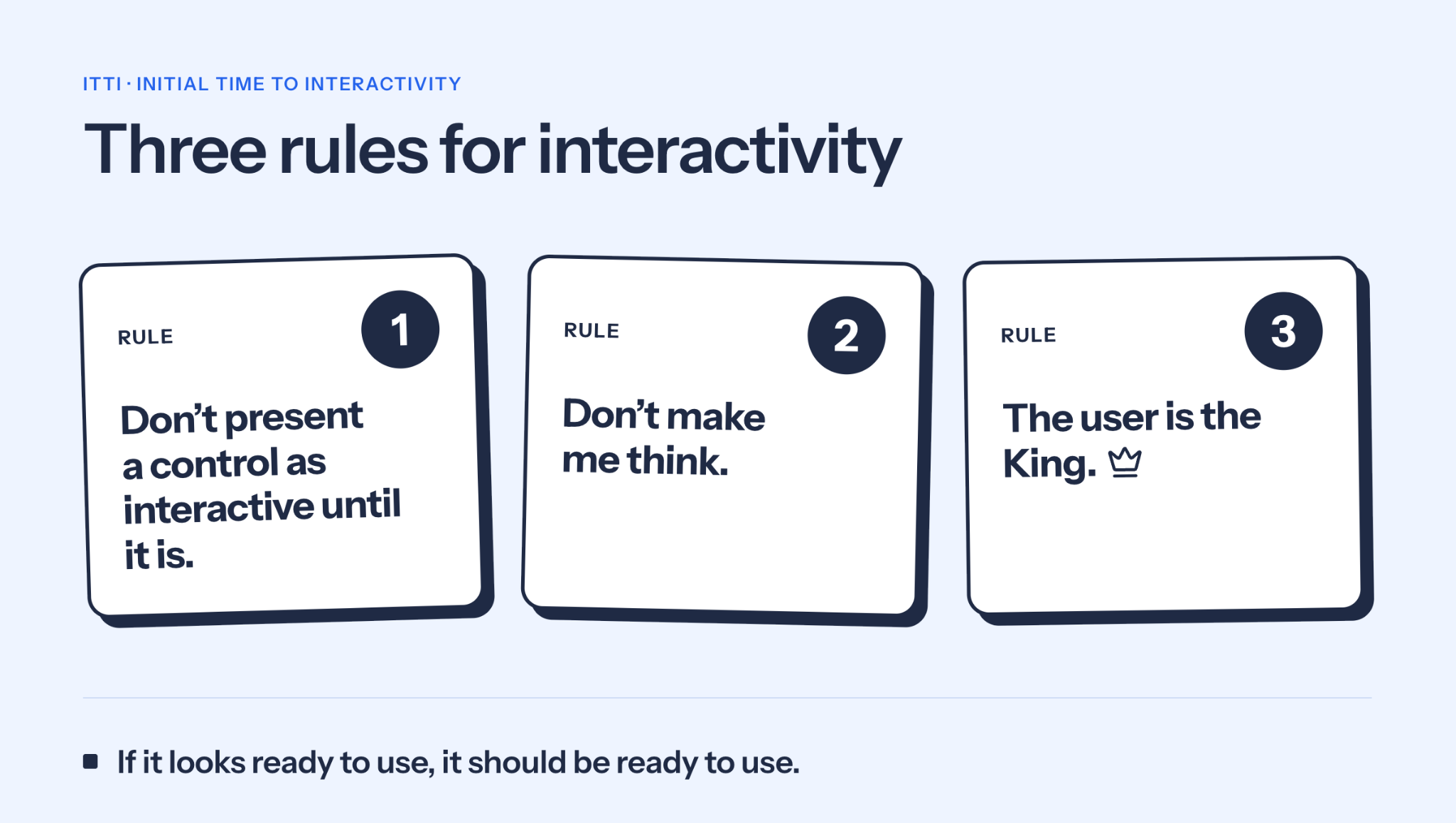
First Rule: Don’t present something as an interactive control until it is interactive
Now you understand the gray color on the mobile menu icon means: it is inactive, not usable yet, and blue means: it is ready to function. But would an ordinary user, or even you without the previous explanation, think the gray color had that meaning at all?
Second Rule: “Don’t make me think!”
That’s the title of Steve Krug’s usability classic, and it’s the standard your design language has to meet. The user does not want to think about usability, your design language should be understood immediately by all of your users without any thinking.
Don’t try to invent a new language. Gray out color language may work for form items, but nobody knows that a gray menu icon means it is not usable yet.
Third Rule: The user is the King
Kings no longer take heads, but they cut conversions. Kings want the site usable when they want to use it. Nothing less or more. They don’t care about your performance or UX scores.
Is ITTI just a mobile menu interactivity metric?
You may think who cares whether the mobile menu is usable or not? Or when a user visits a website will they immediately want to click the mobile menu icon? Probably not.
Our tests are then in 4G slow connection. And if the users have faster connections, the gap reduces but we never know our user’s mobile connection speed, and a King with a slow mobile connection is still the King. And that’s why the b rightonSEO website was a great example for ITTI explanation.
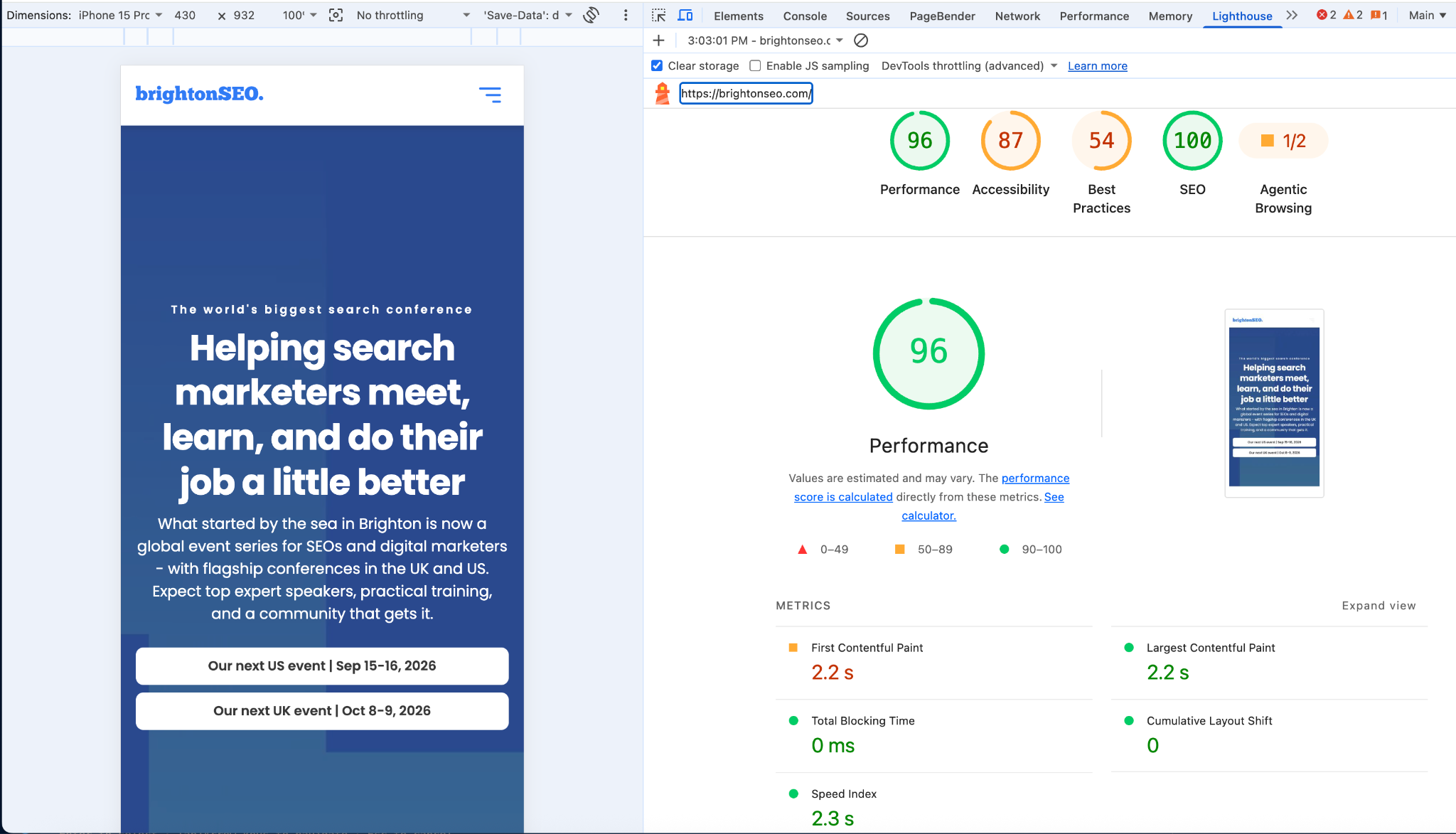
Again, the King does not care about your Lighthouse scores.
Case Study 2: Google.com, turning d ead clicks into delayed clicks
Google won against Yahoo with speed, and now it leads the speed testing tools with Core Web Vitals and CrUX. Time to test Google.com from the UK with Lighthouse for not logged in sessions.
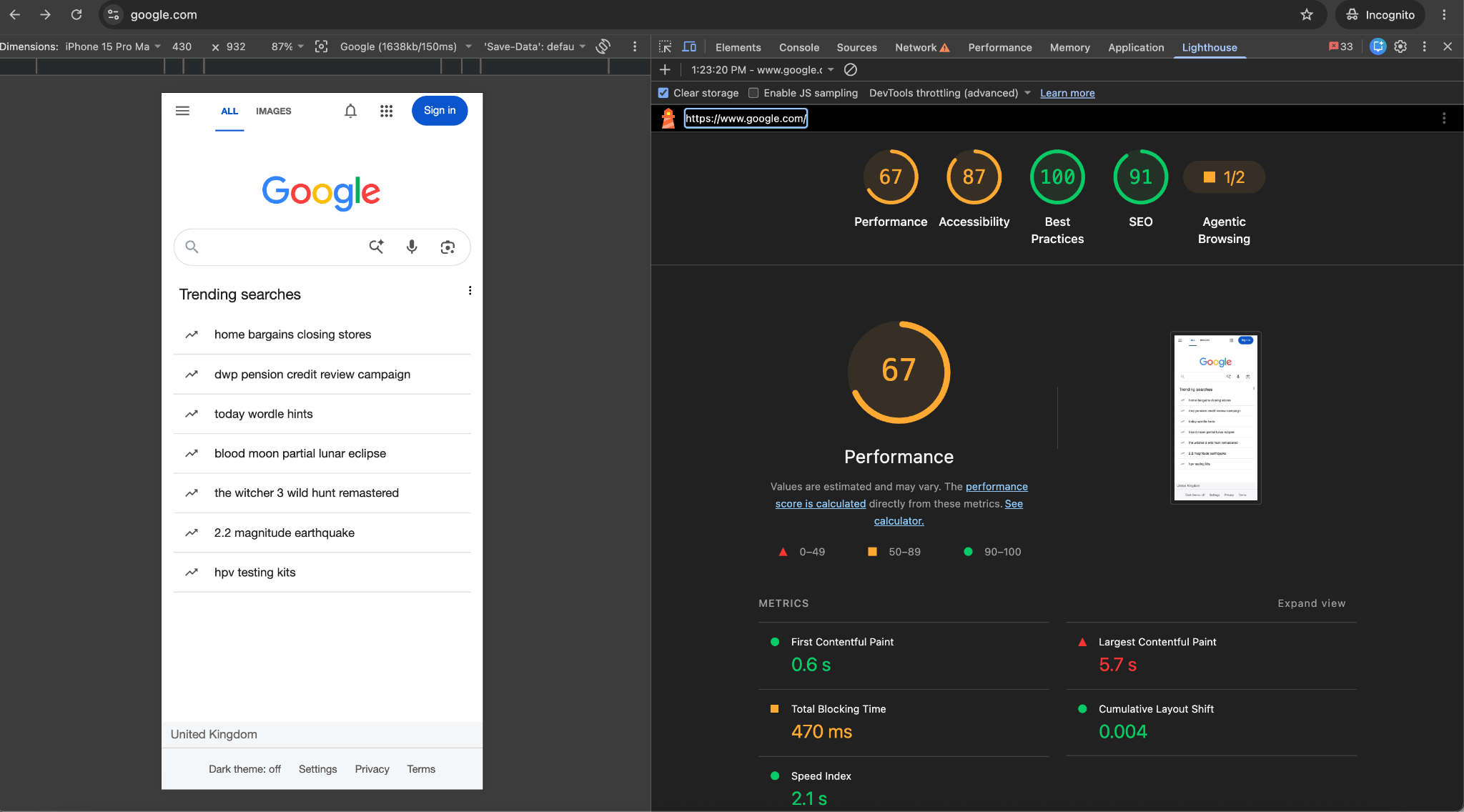
It looks like Google does not care about getting 100 out of 100 on performance from Lighthouse, but this is not our topic, let's check the UI for logged-in and unlogged users. To be fair, actual LCP is around 0.6s; Lighthouse catches a later UI change after the Trending Searches load, so even Google’s own CWV scores can be misleading.
We have a mobile menu icon on the unlogged version, and the rest is almost the same.
We have a UX problem here, if I’m not logged in, why do I see a notification icon? And when I click on that icon as I’m not logged in, it redirects me to the login page.
Now we will list the items, and measure LCP and ITTI for a logged-out user
LCP on Slow 4G: 0.6s
ITTI (Slow 4G) | IG | |
|---|---|---|
Mobile Menu | 1.3s | 0.7s |
User Notifications | 1.6s | 1s |
Google Apps Icon | 1.6s | 1s |
AI Search Icon | 4.3s | 3.7s |
Voice Search Icon | 4.3s | 3.7s |
Image Search Icon | 4.3s | 3.7s |
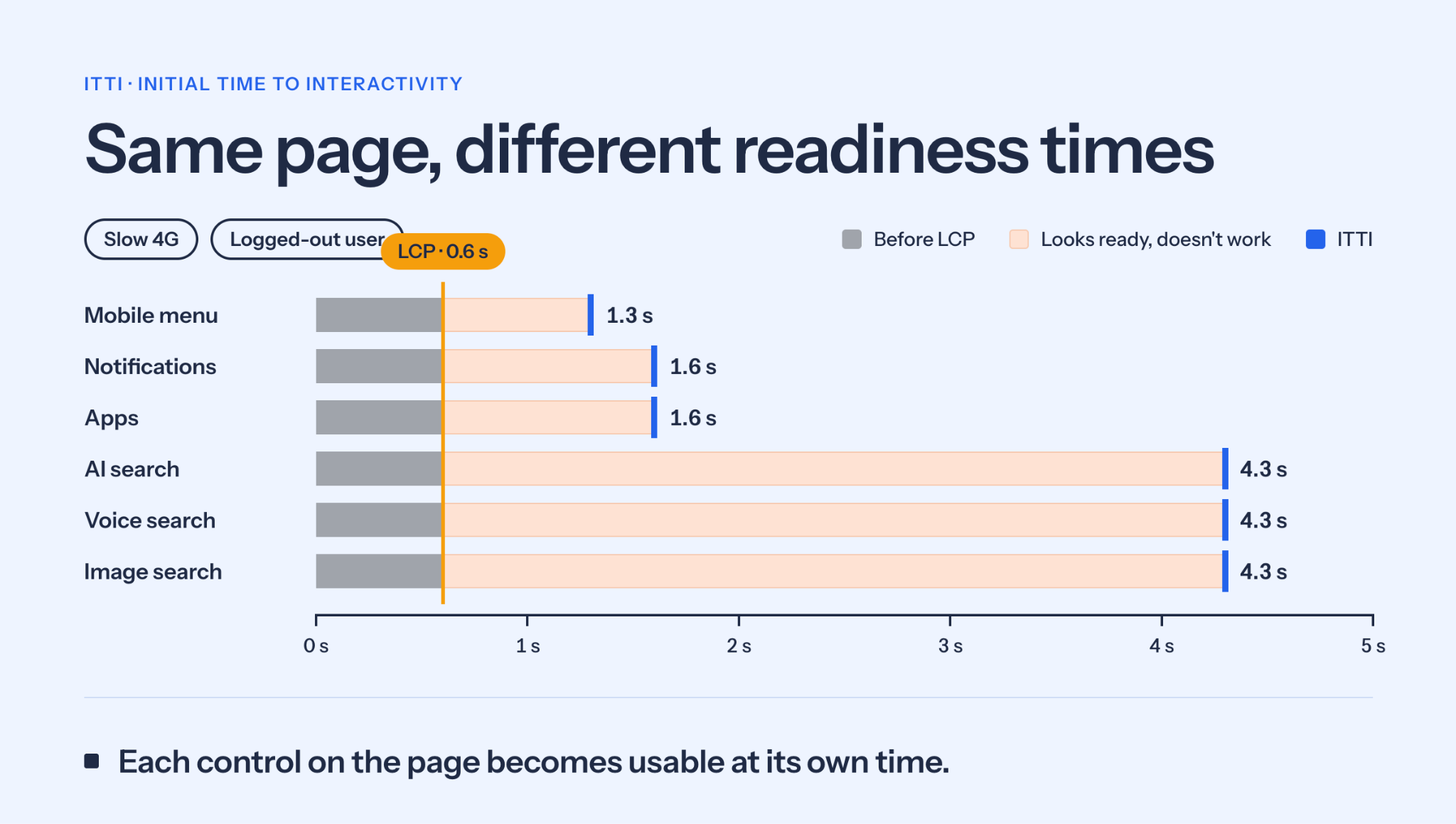
Before making any judgement, or taking on Google’s 4.3s, it appears that they record the dead clicks and the button runs when the JavaScript is ready. The dead clicks are not that dead, they are dead for a while.
Now I will give an example of this situation in real life: you were on your first date, and your partner sat down and you said how are you, then they waited for 4s and said fine thanks and you. Better than no answer but you almost thought your message was ignored.
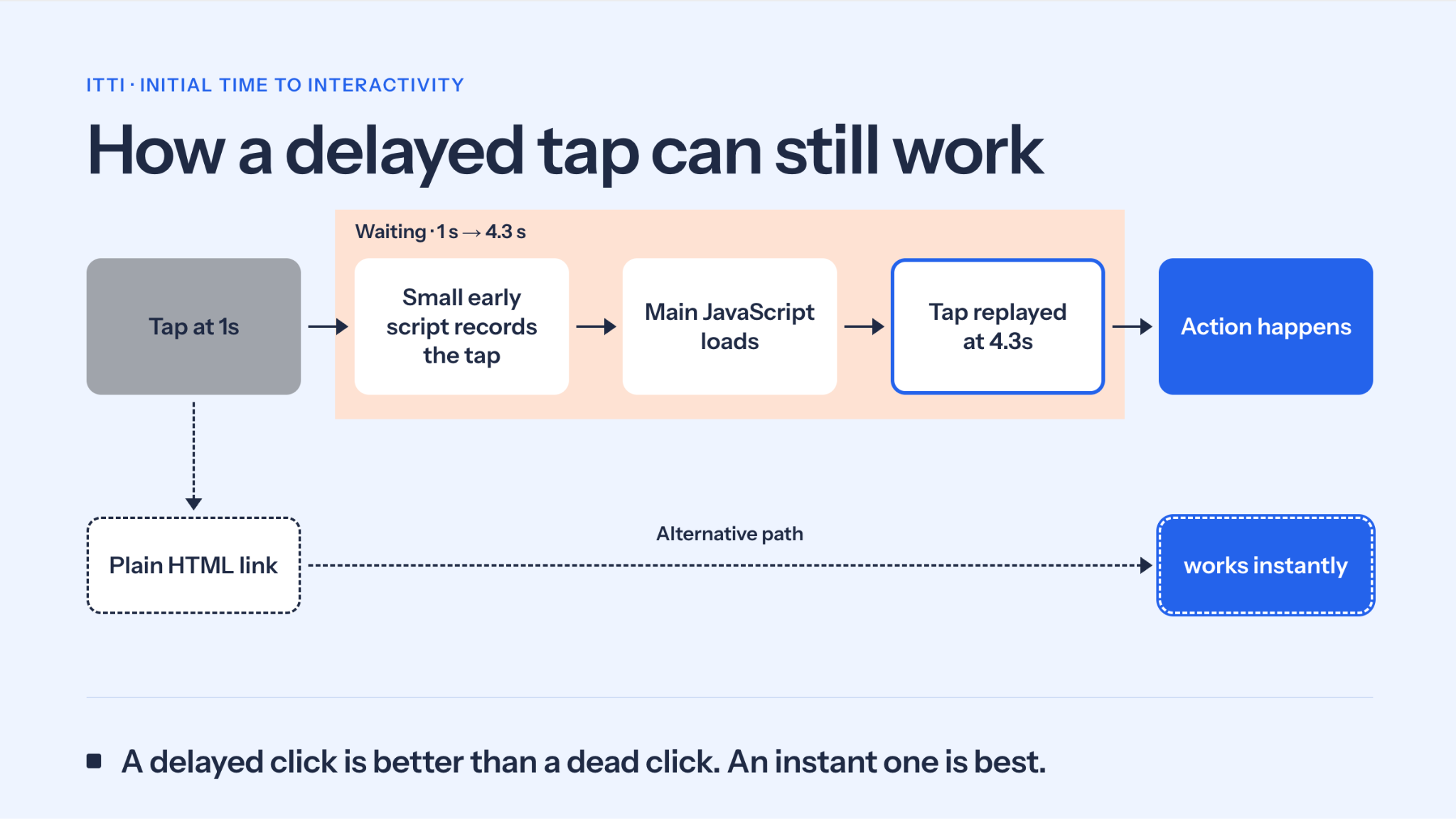
We cannot call them dead clicks, we can either call them almost dead clicks or more correctly delayed clicks. Isn't this a chicken-and-egg problem? If the interactivity of the elements is because of delayed JavaScript load, and tracking them is also done by JavaScript, how do we know the click is a dead click or not? An early inlined JavaScript is injected into the HTML to track and record those clicks independent of the JavaScript which provides the actual action, and when the element is ready, the click fires on the element, so the click works with a delay.
Again two wrongs don’t make a right. When we click the AI search icon, it goes to the AI search page, nothing specific needed with JavaScript, so a basic HTML link element could be used instead of JavaScript based click. Same goes for the guest page’s notification icon’s link, no JavaScript, just a simple HTML link would make those elements react instantly to the click, i.e. the King’s order.
Dead Click Fix for AI, Image Search Icons: No extra JavaScript needed to handle dead clicks resulting from another heavy JavaScript.
Case Study 3: Amazon, immediate ITTI slider
brightonSEO had only a mobile menu, Google is a search engine so it has its own user interface, but the usual websites we visit have the search as an option, a product slider if it is an ecommerce website.
Amazon is a good example of a variety of interactive elements above the fold of the screen: a mobile menu, search box, category slider, delivery to selection dropdown, campaign slider.
“It’s our job every day to make every important aspect of the customer experience a little bit better.”
Jeff Bezos
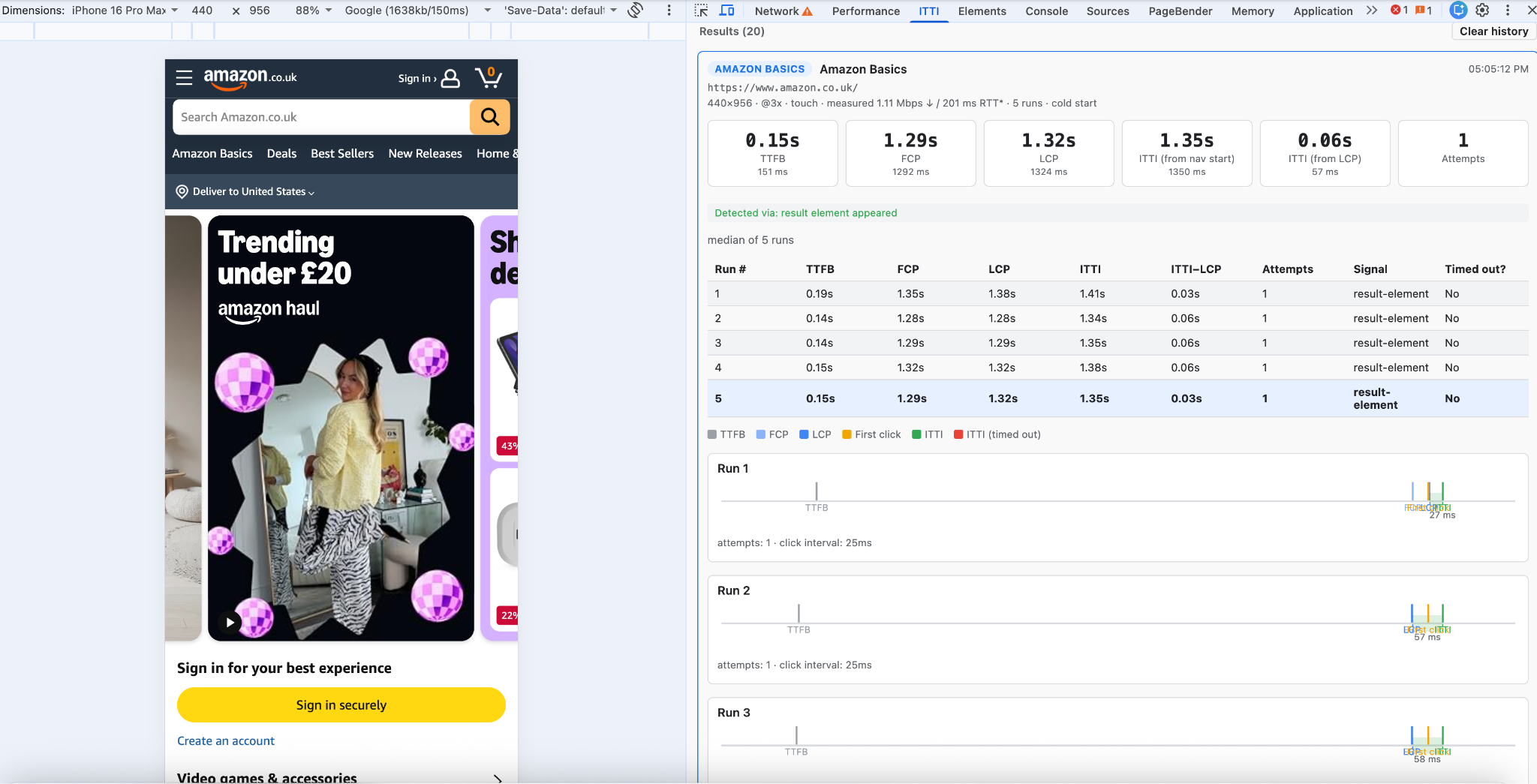
ITTI times on Slow 4G (LCP is 1.32s):
ITTI | IG | |
|---|---|---|
Mobile Menu | 4.14s | 2.82s |
Category Slider | 1.35s | 0.03s |
Product Slider | 3.78s | 2.46s |
Deliver to Dropdown | 5.50s | 4.18s |
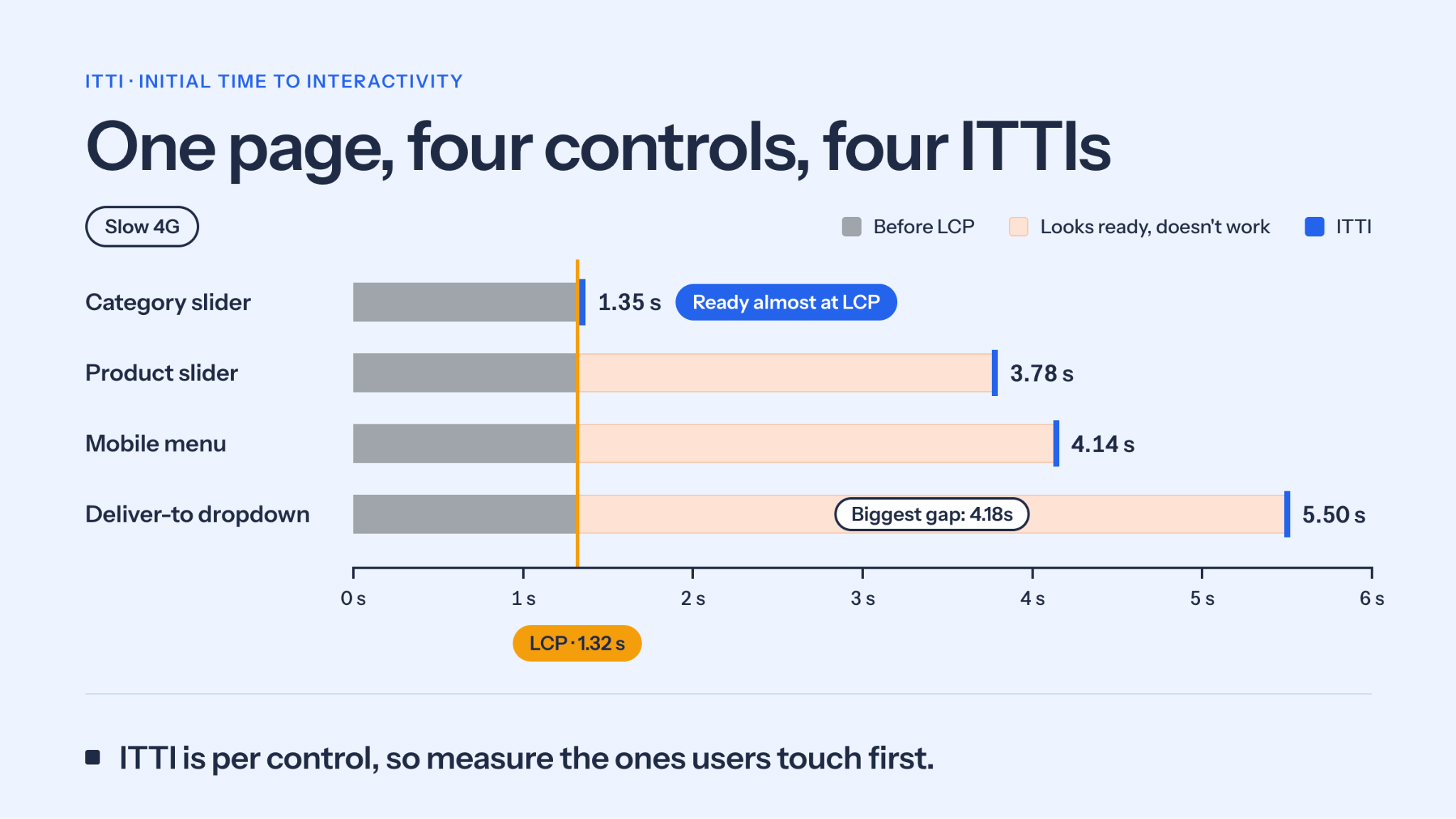
In ecommerce, time is money; the King decides whether to pay or not to pay if you ignore their directives,so delayed controls may add friction on the path to purchase. These measurements alone cannot quantify the commercial impact, though.
Limitations and next steps
These are preliminary lab measurements from a small number of runs under simulated network conditions. Real users on real devices may see different numbers.
I measured when controls became usable, not why. Separating JavaScript download, execution, hydration and event-handler attachment is the next step.
The results show friction, not its commercial impact.
What Time Range for ITTI Means Success?
b rightonSEO’s mobile menu took 24.3 seconds to become interactive in my preliminary Slow 4G tests, despite an LCP of 2.2 seconds. Google’s search controls and Amazon’s interface showed different readiness times across individual elements.
We know it will take some time for humans to perceive, decide and act with the webpage. For deciding on first, second, third priority on interactive elements above the fold, we might need comprehensive research with real user experience monitoring.
But I think there is a correct way for every website; we can catch dead-clicks on our websites. If we have any dead-clicks, then we should make the element a higher priority to solve this problem. I mean if an interactive element gets dead-clicks, then we can prioritise that element. Because usage patterns can differ according to website type, content, user groups that the page is targeting, etc.
A simple loop for closing the gap
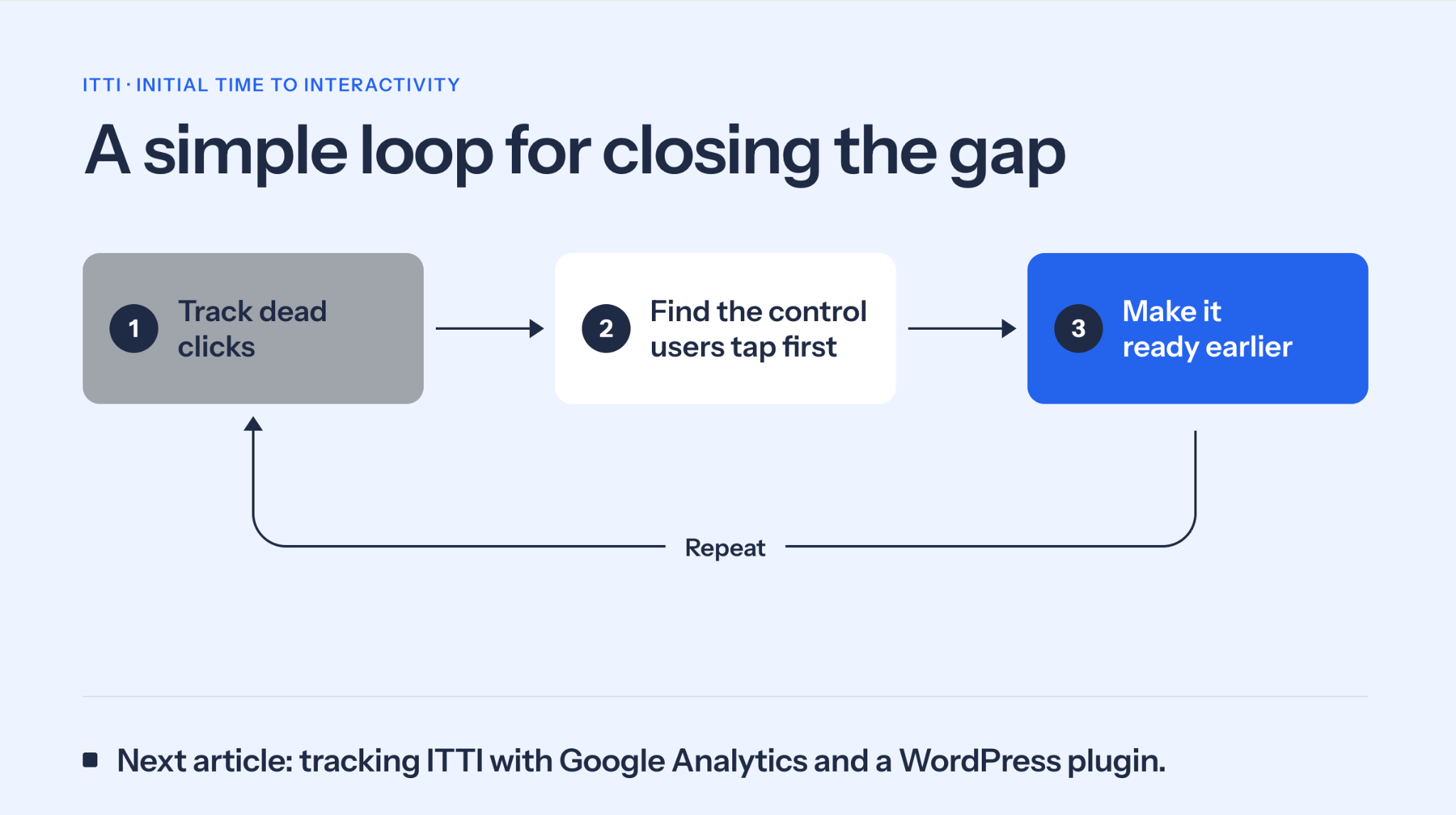
Across three sites, a good CWV score or a fast LCP did not mean the page was usable.
brightonSEO is the clearest example: it scored 96 on Lighthouse, yet its mobile menu took 24.3s to work on Slow 4G, and its gray-to-blue icon makes that gap visible. According to Nielsen, people scan pages rather than read them, so they decide quickly and tap whatever looks ready. A control that looks ready should actually be ready, otherwise the tap becomes a dead click and frustrates the user.
ITTI gives you one more thing to check in UX for your website. Please note that, if you visit the same site multiple times, most likely the ITTI time will reduce dramatically because of browser cache. ITTI mainly affects first-time visitors, so you can test any site on the go by opening a private/incognito window on your browser or using the tools described above.
Every above-the-fold element should be considered and, where possible, tested for dead clicks. The ones that receive them are your priority. ITTI is a proposal and these results are preliminary, so I’d love to see it tested and challenged on your own site. The King doesn’t read your Lighthouse report; he just taps, and he expects something to happen.
Update: All metrics on the article are from the last week of August 2026, and when I re-tested BrightonSEO.com’s mobile menu recently, I measured around 16s.

Selim Koç optimizes Adobe Commerce, Magento, WooCommerce, and enterprise platforms for speed at global scale. With 20+ years of experience from Istanbul to Silicon Valley and Tokyo, he builds cloud-native, distributed systems for high-traffic ecommerce and media websites.

Related Articles
 Ranking #1 Isn't Enough Anymore: What Pixel Visibility Reveals About the 2026 SERP


 SEO & UX: Organic Growth via “The Retention Ladder”

 Breadcrumbs in SEO: What Google's Mobile Change Actually Means

 Sitebulb Desktop
Find, fix and communicate technical issues with easy visuals, in-depth insights, & prioritized recommendations across 300+ SEO issues.
- Ideal for SEO professionals, consultants & marketing agencies.
 Sitebulb Cloud
Get all the capability of Sitebulb Desktop, accessible via your web browser. Crawl at scale without project, crawl credit, or machine limits.
- Perfect for collaboration, remote teams & extreme scale.