
Sitebulb Release Rants
Transparent and sweary Release Notes for every Sitebulb update. Critically acclaimed by some people on Twitter. Written by CEO Patrick Hathaway.
Reader discretion is advised.
Transparent and sweary Release Notes for every Sitebulb update. Critically acclaimed by some people on Twitter. Written by CEO Patrick Hathaway.
Reader discretion is advised.

October 2025
I've got to admit it has become very pleasing when I go to buy yet more niche cookware I absolutely don't need but absolutely must have, and the ecom store happens to run on Shopify - that checkout process is just slick.
In the last few months we've seen an uptick in support tickets from folks trying to crawl Shopify sites and being hit with a 429 response - which causes Sitebulb to stop the crawl early.

This most likely reflects the widespread concern that LLM crawlers are aggressively scraping website page content with little regard for the servers that power them, friendly crawlers like Sitebulb are unfortunate collateral damage.
To their credit, Shopify have addressed this issue directly and published guidance on how to crawl your Shopify store, which allows you to generate a HTTP message signature and authenticate your crawl requests using Web Bot Auth.
We too recognise the growing focus on authentication for crawling - which for the overwhelming majority of the entire history of SEO has been necessary only for staging sites - and so we have a new 'Authentication' menu item which groups all the authentication methods we support.
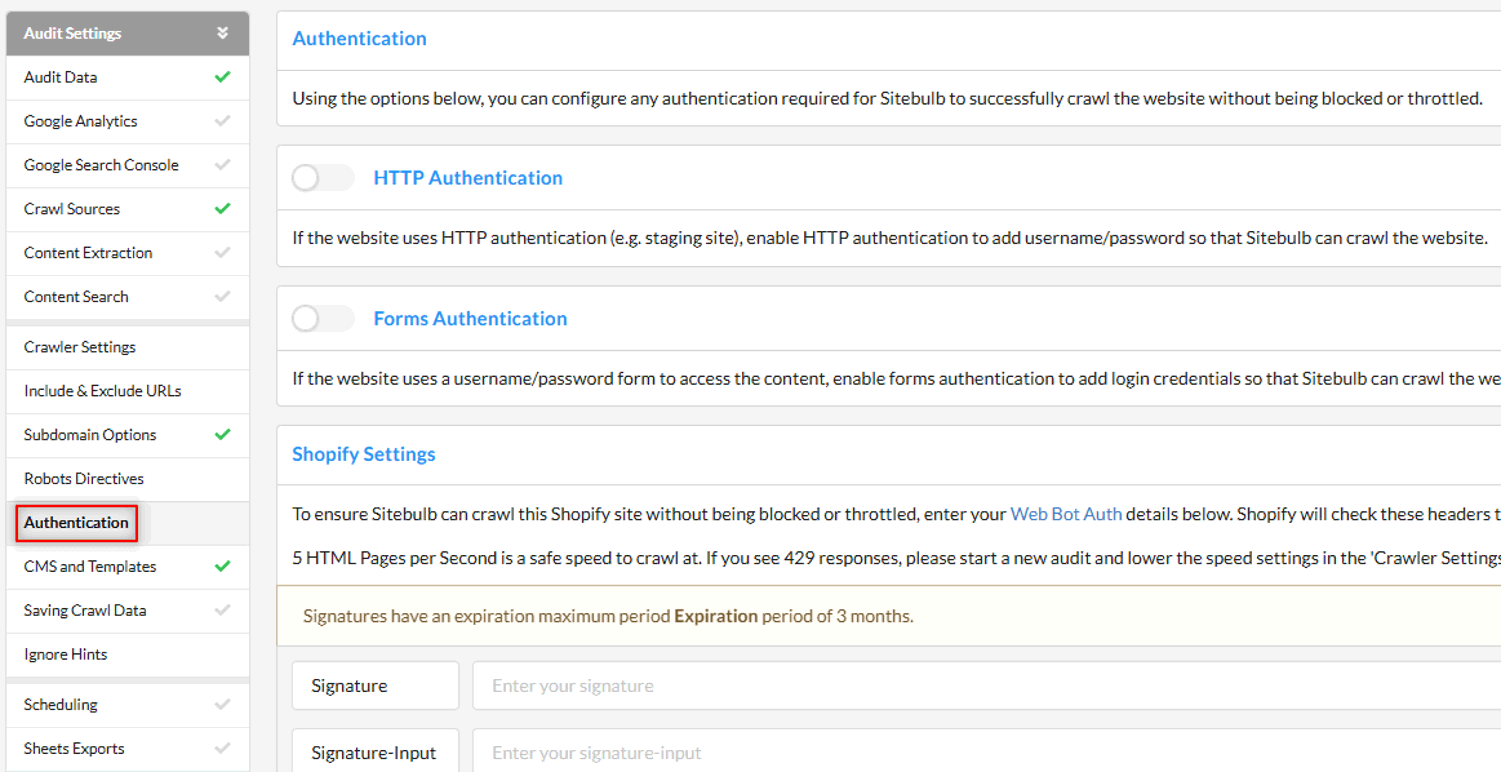
This comprises the 3 authentication methods you can add to Sitebulb:
HTTP Authentication
Forms Authentication
Custom Headers
PLUS a new section 'Shopify Settings', which is a specific application of Custom Headers
So this is where you need to head if you wish to add authentication to Sitebulb, and specifically in regards to Shopify, you can follow along with our doc: Crawling Shopify websites with Sitebulb, which you can use in conjunction with Shopify's own instructions to generate the HTTP message signature and add this into Sitebulb;

I've got to admit it has become very pleasing when I go to buy yet more niche cookware I absolutely don't need but absolutely must have, and the ecom store happens to run on Shopify - that checkout process is just slick.
In the last few months we've seen an uptick in support tickets from folks trying to crawl Shopify sites and being hit with a 429 response - which causes Sitebulb to stop the crawl early.
This most likely reflects the widespread concern that LLM crawlers are aggressively scraping website page content with little regard for the servers that power them, friendly crawlers like Sitebulb are unfortunate collateral damage.
To their credit, Shopify have addressed this issue directly and published guidance on how to crawl your Shopify store, which allows you to generate a HTTP message signature and authenticate your crawl requests using Web Bot Auth.
We too recognise the growing focus on authentication for crawling - which for the overwhelming majority of the entire history of SEO has been necessary only for staging sites - and so we have a new 'Authentication' menu item which groups all the authentication methods we support.
This comprises the 3 authentication methods you can add to Sitebulb:
HTTP Authentication
Forms Authentication
Custom Headers
PLUS a new section 'Shopify Settings', which is a specific application of Custom Headers
So this is where you need to head if you wish to add authentication to Sitebulb, and specifically in regards to Shopify, you can follow along with our doc: Crawling Shopify websites with Sitebulb, which you can use in conjunction with Shopify's own instructions to generate the HTTP message signature and add this into Sitebulb;
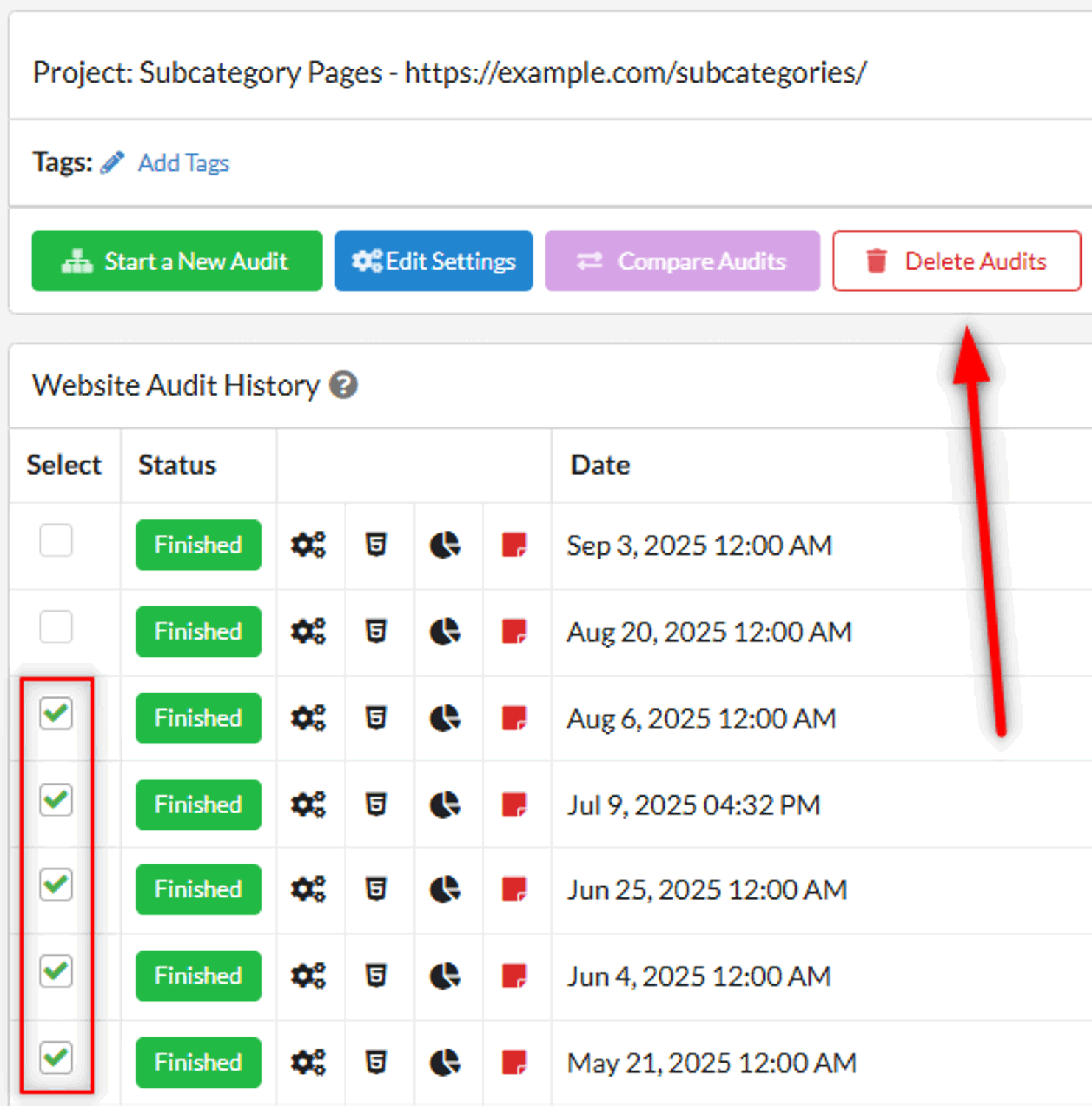
Not content with one batch delete option, we've actually added two: this one allows you to delete multiple audits at once from within a single project.
And why might you one need to delete lots of audits at once? Erm...
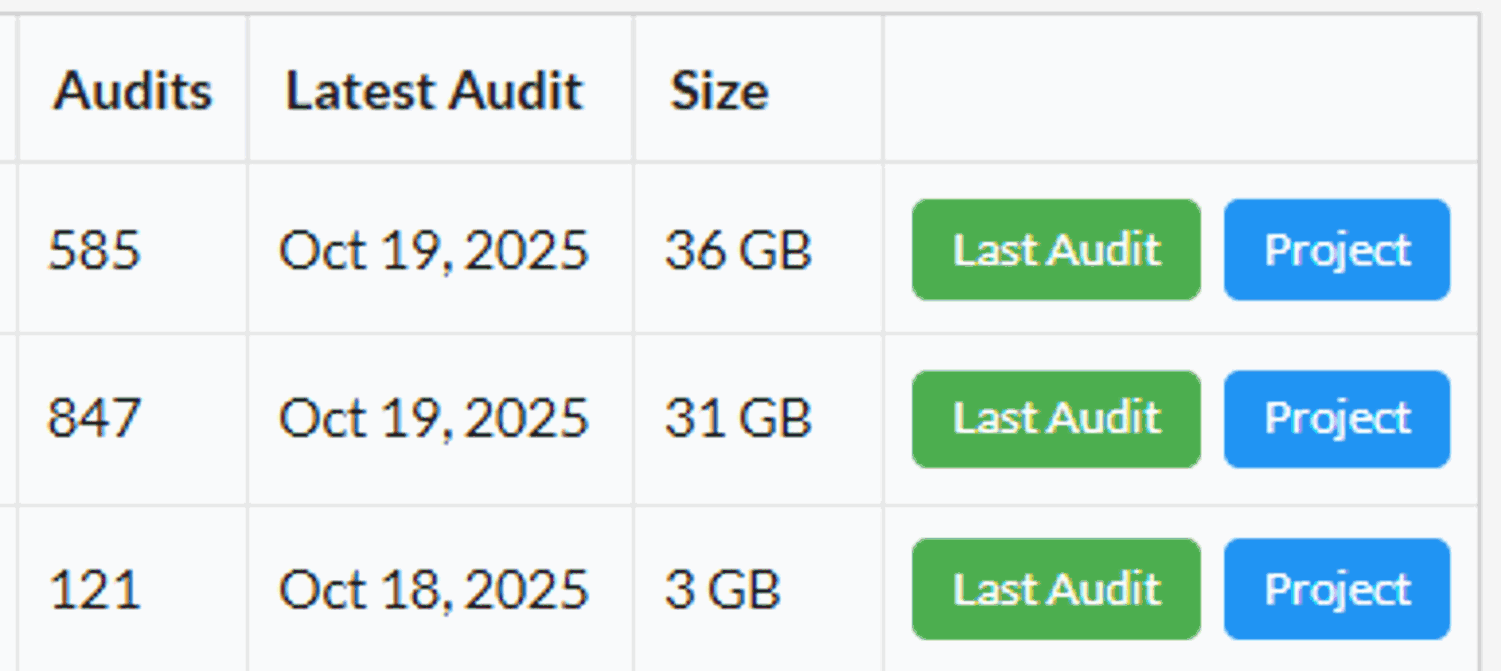
Even for smaller sites, if you crawl them shitloads of times, the overall size really can add up.
Deleting audits works almost identically to the deleting projects method - simply navigate to the project in question, select the audits that you wish to delete on the left, then hit the 'Delete Audits' button:
Several years ago I made the mistake of mentioning 'you'll never add infinity projects to Sitebulb', and a number of users took this as a personal challenge.
Sooner or later they would realise the folly of their ways, as their computer would routinely whinge about 'low disk space' and other such complaints.
The support tickets we'd get revealed the depths of their frustration, 'why can I only delete projects one by fucking one?'.
We heard you, check this out:
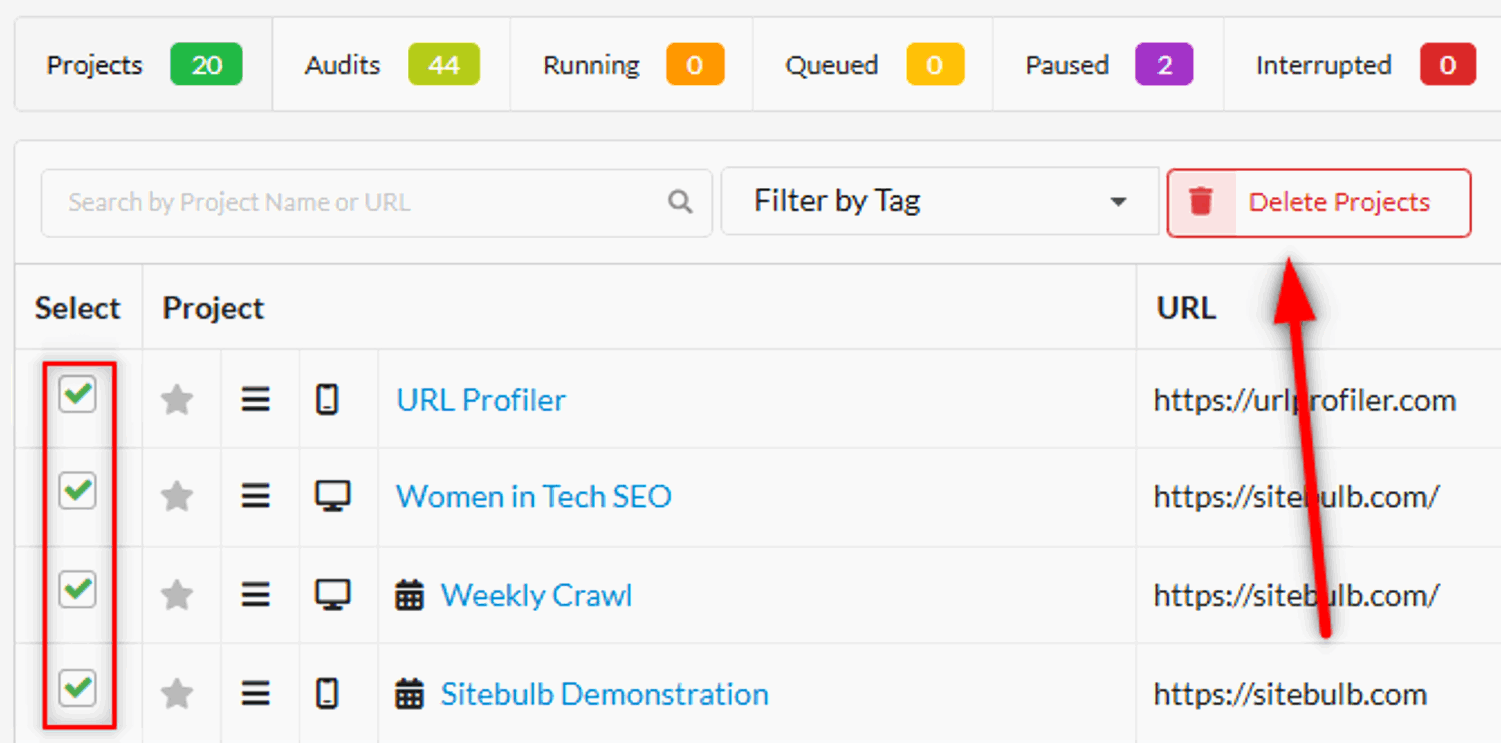
Simply select the projects you wish to delete, then hit the button to get rid of them forever.
No more angry emails (at least about this specific thing...).